
Do you want to build LLM apps and AI agents using n8n and APIs? You are in the right place. Lagos Data School is Nigeria’s leading AI and automation training centre. Lagos Data School has trained hundreds of Nigerian professionals on n8n, LLMs, and AI agent workflows. Real businesses across Lagos and beyond now use the apps they built. That is why Lagos Data School is the top place to learn how to build LLM-powered AI agents in Nigeria.
So, this guide walks you through the full process, from understanding what an LLM is to building and deploying a working AI agent with n8n and APIs. In addition, it covers what Lagos Data School teaches in its AI and automation courses. Also, it shows what you can earn and which careers these skills unlock. As a result, by the end, you will have a clear, step-by-step plan to start building today.
So, What Are LLMs and AI Agents?
Simply put, an LLM (Large Language Model) is an AI model trained on huge amounts of text. It can read, write, summarize, translate, and reason. Models like GPT-4o, Claude, and Gemini are all LLMs. You access them through APIs. So your app can call the API, send a prompt, and get a smart AI response back in seconds.
An AI agent is an LLM-powered system that can take actions, not just respond. It is given tools, memory, and goals. Then it plans and executes a set of steps to achieve those goals. For example, you can instruct an AI agent to check a form, look up a record, send an email, and log the result. n8n performs each step automatically. Also, agents can loop, branch, and retry based on what they find. As a result, a single AI agent can replace hours of manual work every day.
What Is n8n and Why Is It Used to Build AI Agents?
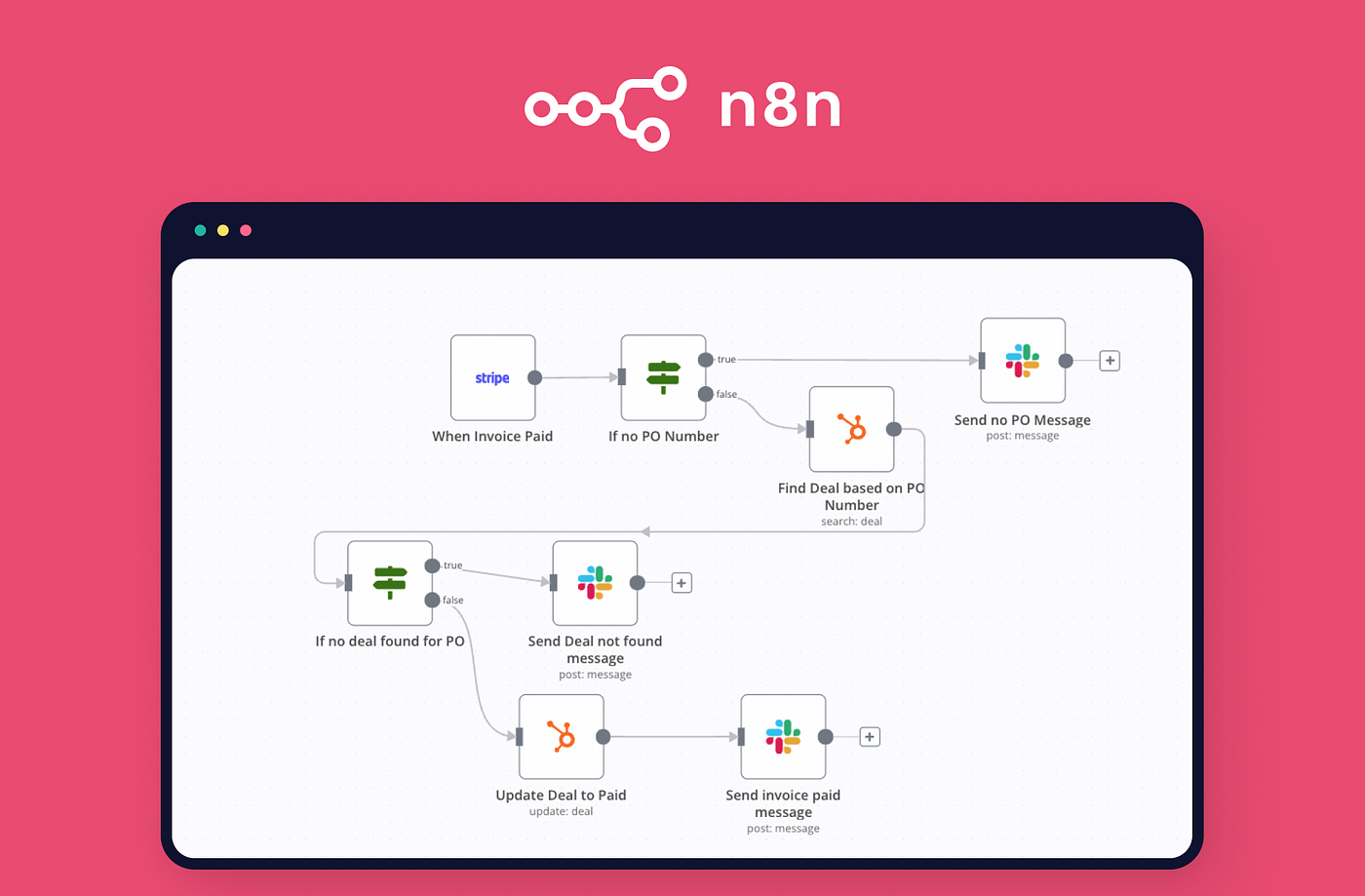
In fact, n8n is an open-source workflow automation tool. It connects apps, APIs, and AI models without writing full code. You build workflows visually by linking nodes. Each node is a step: a trigger, an API call, a data transform, or an AI action.
n8n works well for building AI agents because it handles all the plumbing. The LLM call is made through an HTTP node or a built-in AI node. n8n passes data between steps as JSON. Also, n8n can be self-hosted on a server or run in the cloud. Moreover, it is free and open-source. So a Lagos developer, entrepreneur, or analyst can build powerful AI automation without a large budget. In addition, n8n has native support for LangChain, OpenAI, Anthropic, Google Gemini, and more. As a result, it is the fastest and most flexible way to build LLM-powered agents in Nigeria in 2026.
Tools and APIs You Need to Build LLM Apps with n8n
Before you start, you need a small set of tools. In fact, most of these are free or low-cost. Here is what is used at Lagos Data School:
| Tool / API | What It Does | Cost |
| n8n | Workflow builder — connects nodes visually or via JSON | Free (self-hosted) |
| OpenAI API (GPT-4o) | LLM for text generation, classification, and reasoning | Pay-per-token |
| Anthropic API (Claude) | Alternative LLM — great for long context and reasoning | Pay-per-token |
| Google Gemini API | Google’s LLM — integrated well with Google Workspace | Free tier available |
| Pinecone or Supabase | Vector database for RAG (Retrieval-Augmented Generation) | Free tier available |
| Webhook (n8n built-in) | HTTP trigger — starts the workflow from any external source | Free in n8n |
| Airtable or Google Sheets | Data store for agent memory and output logging | Free tier available |
| Slack or Gmail API | Notification and communication output for the agent | Free tier available |
Also, a Postman account is recommended for testing your API calls before you build the workflow. In short, you need a laptop, a browser, and free accounts on the platforms above. Lagos Data School guides every student through the full setup in the first session.
Step-by-Step: How to Build Your First LLM App with n8n
Here is the exact process that Lagos Data School teaches every AI automation student. Follow these steps, and your first LLM-powered n8n workflow will be live by the end of today.
Step 1: Install or Access n8n
First, choose how you want to run n8n. The easiest option for beginners is n8n Cloud. Go to n8n.io and sign up for a free trial. Your n8n instance launches and is ready in under two minutes. Also, if you want to self-host, you can install n8n on a Linux server using npm or Docker. Lagos Data School teaches both methods. For now, the cloud version is the easiest choice. In addition, your workflows save automatically and open in any browser. So you need no local setup.
Step 2: Create a New Workflow
Next, click New Workflow in your n8n dashboard. A blank canvas appears. This is where your AI agent will be built. Also, every workflow needs a trigger, the event that starts the run. For a simple LLM app, you use a Webhook trigger. So, click the + button, search for Webhook, and add it to the canvas. In addition, n8n generates the webhook URL automatically. Copy it. You will use it to start your workflow from any app or form. As a result, your trigger is ready.
Step 3: Add Your OpenAI API Key
In addition, you need to connect your OpenAI account. Click Credentials in the n8n sidebar. Then click Add Credential and select OpenAI. Paste your API key from platform.openai.com. In fact, n8n stores the key securely and never exposes it in the workflow canvas. Moreover, n8n makes all API calls to OpenAI through this credential. So you only set it up once and reuse it across every workflow.
Step 4: Add an OpenAI Chat Model Node
Also, your LLM node is where the AI reasoning happens. Click the + button after the webhook node. Search for OpenAI and add the Chat Model node. In the node settings, select the GPT-4o model. Furthermore, you set a system prompt here. This is the instruction you give the LLM at the start of every run. For example: “You are a helpful assistant for a Lagos e-commerce business. You respond in clear, professional English.” Also, n8n passes the user message from the webhook body as a variable. So the LLM sees both the system context and the live user input. As a result, every response is grounded and relevant.
Step 5: Add Memory to Your AI Agent
Furthermore, a basic LLM call has no memory. It forgets the last message with every new call. To build a real agent, you must add memory. In n8n, you use a Window Buffer Memory node for short-term conversation memory. Also, n8n stores and passes the previous messages to the LLM on every run. Moreover, for longer memory, a vector store like Pinecone or Supabase can be connected. n8n stores past data as embeddings and retrieves them using similarity search. As a result, your agent remembers context, recalls facts, and gives consistent answers across a full conversation.
Step 6: Give the Agent Tools
Additionally, tools are what make an LLM an agent. Without tools, the model only responds. With tools, it takes action. In n8n, you connect tools as sub-nodes inside the AI Agent node. Here is what can be added:
- HTTP Request tool: calls any REST API on behalf of the agent.
- Google Sheets tool: reads and writes rows in a Lagos business spreadsheet.
- Airtable tool looks up records in a client database.
- Code tool runs JavaScript or Python logic inside the agent’s reasoning loop.
- Send Email tool: sends a message when the agent completes a task.
Also, when a tool is used, the agent describes the action back to the LLM. So the agent “knows” what was done and can plan its next step. In short, each tool is called automatically based on the agent’s decision. No manual triggering is needed.
Step 7: Test and Debug the Workflow
Next, you must test your workflow before you deploy it. In n8n, click Execute Workflow to run it once manually. Also, each node displays its input and output in the debug panel. So you can see exactly what the LLM received, what it returned, and how each tool was called. Moreover, if an error occurs, n8n highlights the failing node in red. In addition, the error message is shown clearly. As a result, debugging an n8n AI agent is fast and visual, with no reading long logs required.
Step 8: Deploy and Connect Your Agent
Finally, when testing is complete, you activate the workflow with one click. So it runs live and listens on its webhook URL. Also, the webhook URL can be connected to a web form, a WhatsApp bot, a Slack slash command, or a React frontend. Moreover, the agent runs every time someone calls the webhook. In addition, n8n logs every execution. So you can review what the agent did, what it responded, and how long each run took. As a result, your LLM-powered AI agent is live and working in production.
Advanced Patterns: RAG, Multi-Agent, and Looping Workflows
Once your first agent is live, more advanced patterns can be explored. Lagos Data School covers all three of these in its Advanced AI Agents course:
Retrieval-Augmented Generation (RAG)
In RAG, a vector database is connected to your LLM. First, you chunk and embed your documents. Then you store the embeddings in Pinecone or Supabase. When a user asks a question, similar chunks are retrieved. Also, n8n passes the retrieved text to the LLM as context. So the model answers based on your specific data — not just its training knowledge. As a result, a Lagos business can build a private AI assistant that knows its products, policies, and client history.
Multi-Agent Workflows
In a multi-agent setup, several agents are chained together. Each agent handles one task. For example, Agent 1 reads and classifies incoming emails. Then Agent 2 looks up the client record. Finally, Agent 3 drafts and sends the reply. Also, each agent can use different LLMs and different tools. Moreover, n8n passes results between agents as structured JSON. In short, complex Nigerian business processes can be automated end-to-end with a chain of specialised AI agents.
Looping and Conditional Agents
Furthermore, an agent can be made to loop. It runs, checks a condition, and runs again if the goal is not yet met. In n8n, you build this with an If node and a loop back to the agent. Also, you set a maximum iteration count to prevent infinite loops. Moreover, conditional branching gives the agent different paths based on what it finds. In addition, fallback branches catch and handle errors. As a result, your AI agent behaves reliably even when inputs are messy or incomplete.
How Lagos Data School Teaches You to Build LLM Apps and AI Agents
At Lagos Data School, you do not just watch theory. Every session is hands-on. You build workflows live. You call real APIs in class. Agents are deployed by the end of each module. In fact, Lagos Data School is Nigeria’s top AI automation and n8n training centre. Every instructor is a working AI engineer who builds real LLM-powered tools for Nigerian and global clients. Also, every course uses real Nigerian business cases: customer support bots, invoice processors, lead agents, and data automators.
In addition, Lagos Data School believes every Nigerian professional deserves to understand and use AI. You do not need a software engineering degree to build an n8n AI agent. All you need is the right training, the right tools, and a clear step-by-step path. So Lagos Data School designed its AI Agents with the n8n course to take a complete beginner from zero workflow experience to a live, deployed AI agent in four to six weeks. As a result, graduates build real AI tools that solve real Nigerian business problems.
To explore all AI, automation, and data courses, visit the Lagos Data School. Also, view real graduate AI projects at the Lagos Data School Portfolio.
Recommended External Resource: n8n Official Documentation
In addition to the training at Lagos Data School, Lagos Data School recommends the n8n official documentation as the best free external resource for AI automation students in Nigeria. The n8n docs include full node references, workflow templates, AI agent tutorials, and video walkthroughs. Also, the n8n community forum is very active. In fact, thousands of workflow templates are available and can be imported into your n8n instance with one click. As a result, every Lagos Data School AI student can use the n8n docs to explore advanced nodes, troubleshoot workflow errors, and find starting templates for common Nigerian business use cases.
The n8n docs work best alongside Lagos Data School’s live, hands-on AI agent training. Official documentation gives you the full node reference and the workflow template library. But it cannot replace the real Nigerian business briefs, live API debugging, and direct instructor feedback that Lagos Data School provides in every class. So use both resources together for the fastest path to LLM app mastery.
Frequently Asked Questions (FAQs)
Q1: So, do I need to Know How to code to build AI Agents with n8n?
No. n8n is built for users who do not want to write full code. You build workflows visually by connecting nodes. Also, the OpenAI and LangChain nodes come pre-built. So you just configure them with a few settings and a prompt. However, basic JavaScript is helpful for the Code node. In short, Lagos Data School recommends starting with no-code n8n workflows first. You can add code gradually as your confidence grows.
Q2: Also, What Is the Difference Between an LLM App and an AI Agent?
An LLM app calls a language model and returns a response. It is a one-step interaction. An AI agent, on the other hand, can plan and take multiple steps. You give the agent tools. The agent then decides which tool to use and in what order. Also, the agent can loop, branch, and retry. In short, an LLM app responds. An AI agent acts. Lagos Data School teaches both patterns and shows you when to use each one.
Q3: Furthermore, which LLM Is Best for n8n AI Agents in Nigeria?
In 2026, GPT-4o from OpenAI is the most widely used LLM for n8n agents. It is fast, well-tested, and handles complex instructions well. Also, Claude 3.5 Sonnet from Anthropic is excellent for long reasoning tasks and document analysis. Moreover, Google Gemini is worth using when your workflow is already connected to Google Workspace. In short, Lagos Data School recommends starting with GPT-4o. You can swap in other models later based on your cost and performance needs.
Q4: Additionally, How Long Does It Take to Build a Working AI Agent?
A simple AI agent that calls an LLM and returns a response can be built in under one hour. More advanced agents with memory, tools, and a RAG knowledge base take two to three days. Also, a full multi-agent workflow for a Nigerian business typically takes one to two weeks. In short, the time depends on the complexity of the task. Lagos Data School students build and deploy their first live AI agent by the end of their first week of training.
Q5: Finally, Does Lagos Data School Offer Online AI Agent Training?
Yes, Lagos Data School offers live online AI agent and n8n training courses. Online students join the same cohort as in-person students. So you build workflows, call real APIs, and deploy real AI agents alongside the class in real time. You get the same instructor feedback on your n8n configs and LLM prompts. The same course materials and career support apply to all graduates. Also, all session recordings are open after every class. In short, whether you are in Lagos, Abuja, or anywhere in Nigeria, great AI automation training is open to you.
Conclusion: Start Building LLM Apps and AI Agents with Lagos Data School Today
Ultimately, the ability to build LLM apps and AI agents is the most valuable technical skill in Nigeria in 2026. Businesses want automation. Clients want AI. Every Nigerian professional who can build these tools is paid well and hired fast. Best of all, n8n makes it possible to build powerful AI agents without a computer science degree. And Lagos Data School has built the clearest learning path from zero to a deployed AI agent in Nigeria.
Whether you want to freelance as an AI automation builder, get hired at a Nigerian tech firm, or add AI to your own business, Lagos Data School has the right course for you.
Take the First Step Today
To that end, do not wait. Visit Lagos Data School now, pick your AI agent course, and enroll. As a result, your first LLM app, your first live AI agent, and your first AI automation income are just one enrolment at Lagos Data School away.