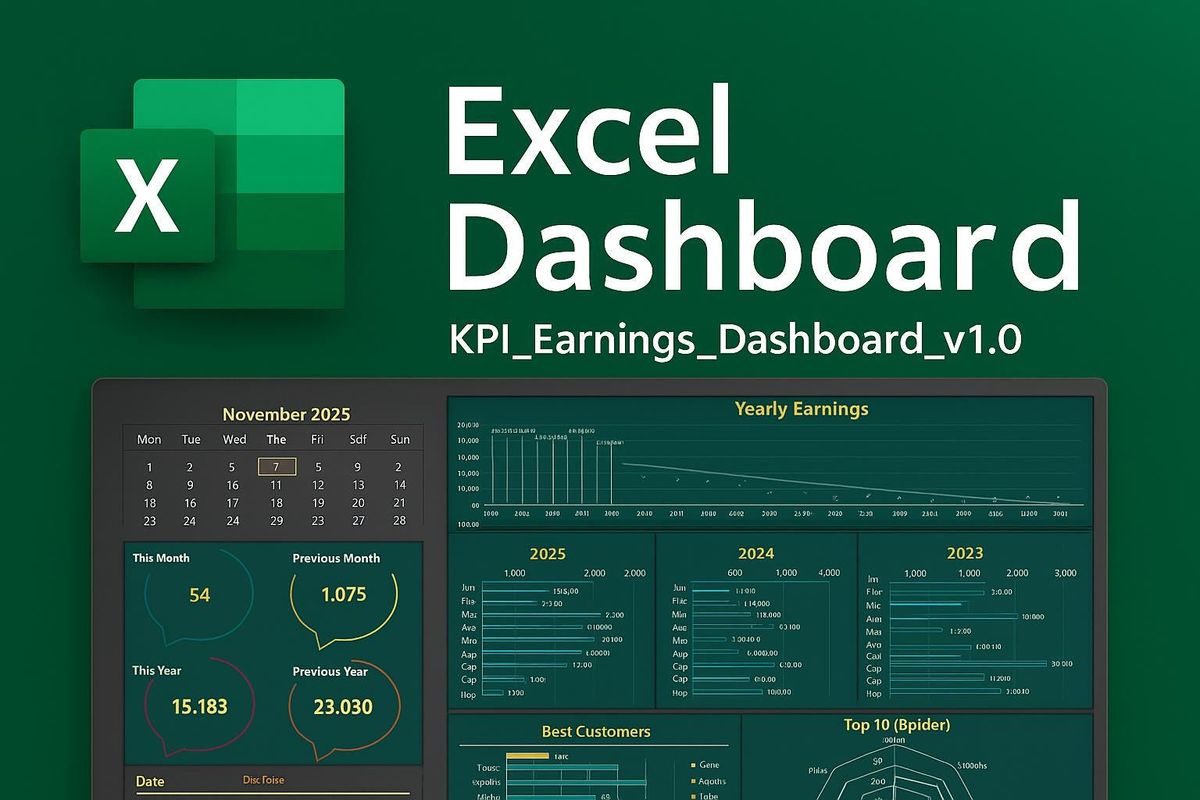
How to Build Stunning Excel Dashboards That Impress in Lagos

A great Excel dashboard can change your career in Lagos. Bosses see it and take notice. So, the staff who build them stand out from the crowd.

Yet, many Lagos pros find dashboards hard to build. They know basic Excel but do not know where to start. Furthermore, most courses skip the step-by-step process that really matters.

That is where Lagos Data School comes in. It has trained thousands of Excel users across Nigeria since it opened. Moreover, its Advanced Excel course covers pivot tables and dashboards in full, using real Lagos business data.

So, this guide is written and researched entirely by Lagos Data School. It walks you through every step to build a clean, live, pro-level dashboard in Excel. Furthermore, it shows you the tools, tips, and layout tricks that make dashboards look great and work well.

By the end, you will know what to build, how to build it, and what to avoid. Therefore, the next dashboard you create will be one your whole team wants to use.


What Is an Excel Dashboard and Why Does It Matter?

An Excel dashboard is a single sheet that shows key data at a glance. It pulls numbers from your raw data, groups them, and turns them into charts and tables. So, instead of scrolling through rows, you see the full picture in seconds.

The best dashboards are live. When you change a filter, the whole sheet updates. Moreover, they are clean and easy to read, even for people who are not Excel users.
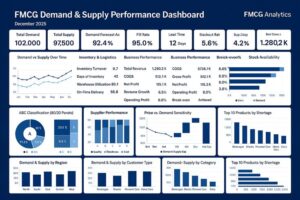
Furthermore, dashboards matter a lot in Lagos workplaces. Finance teams use them to track budgets. Sales teams use them to watch revenue and targets. Also, HR teams use them to track headcount and payroll. Therefore, being able to build one puts you ahead of most of your peers.

Lagos Data School’s 2026 employer survey found that 68% of Lagos firms want staff who can build and manage Excel dashboards. Moreover, those who can do it earn up to 25% more than those who cannot. So, this is a skill that pays.


What Makes a Dashboard Great vs Poor?

A great dashboard is clear, fast, and useful. A poor one is crowded, slow, and hard to read. So, the goal is not to put everything on one sheet. Instead, it is to show only what matters most.

Furthermore, great dashboards update with one click. Poor ones need manual edits every time the data changes. Therefore, the tools you use to build it matter as much as the design.


The Key Tools You Need to Build a Dashboard

Excel has several tools that make dashboards possible. Lagos Data School teaches all of them in its Advanced Excel course. Furthermore, each tool plays a clear role in how the dashboard works and looks.


Dashboard Element What It Does Best Excel Tool Difficulty
Summary KPIs Shows key numbers at a glance Formulas + data cards Easy
Pivot Table Groups and totals large data sets PivotTable wizard Easy-Medium
Pivot Chart Turns pivot data into a visual Insert > PivotChart Easy-Medium
Slicer Filters data with one click Insert > Slicer Easy
Timeline Filters data by date range Insert > Timeline Easy
Conditional Format Colours cells by rules Home > Cond. Formatting Easy
Dynamic Title Title updates as filters change TEXT formula + cell link Medium
Named Ranges Makes formulas easy to read Formulas > Name Manager Medium

Source: Lagos Data School Advanced Excel Programme, 2026


Pivot Tables: The Engine of Your Dashboard

Pivot tables do the heavy lifting. They take raw data and group it by any field you choose. So, you can switch from daily to monthly totals with a few clicks.

Also, pivot tables update when your data changes. You just right-click and hit Refresh. Moreover, they work with very large data sets without slowing Excel down. Therefore, they are the core of almost every great Excel dashboard.

Slicers: The Controls That Make It Live

Slicers are the buttons that sit on top of your dashboard. When you click one, it filters your pivot table and chart at the same time. So, your whole dashboard updates with a single click.

Furthermore, slicers are visual and easy to use. Anyone can filter data without knowing any Excel at all. As a result, your dashboard becomes a tool that the whole team can use, not just you.

Pivot Charts: Your Data in Visual Form

A pivot chart links directly to a pivot table. When you filter the pivot table, the chart updates too. So, you always see the numbers and the visual together.

Moreover, pivot charts are easy to build. You just click inside your pivot table and go to Insert, then PivotChart. Furthermore, you can pick bar, line, pie, or column charts based on what fits your data best.


Step-by-Step: How to Build Your Excel Dashboard

Lagos Data School teaches this process in its Advanced Excel course. It breaks the work into clear steps. So, follow them in order and your dashboard will come together fast.


Step 1: Prepare Your Raw Data

Clean data is the base of every good dashboard. So, start by checking your data for gaps, duplicates, and wrong formats. Fix these before you do anything else.

Furthermore, format your data as an Excel Table. Go to Insert, then Table. Excel will then track new rows on its own. As a result, your pivot tables and charts will update when new data is added.

Pro Tip from Lagos Data School:  Keep all your raw data on one sheet and all your dashboard elements on a second sheet. This keeps things clean and easy to manage.

Step 2: Build Your Pivot Tables

Click inside your Table. Go to Insert, then PivotTable. Place it on your dashboard sheet. Then drag the fields you need into the rows, columns, and values boxes.

For example, drag Month to the rows box and Revenue to the values box. Excel groups the data by month and gives you a total for each. So, you now have a clean monthly revenue summary in seconds.

Moreover, build one pivot table for each key metric you want to show. Do not try to put everything in one pivot table. Furthermore, keep each one simple and focused on a single question.

Pro Tip from Lagos Data School:  Right-click your pivot table and choose PivotTable Options. Turn off the grand total row if it clutters your layout.

Step 3: Add Pivot Charts

Click inside each pivot table. Go to Insert, then PivotChart. Pick a chart type that fits your data. Bar charts work well for comparisons. Line charts work well for trends over time.

Also, keep your charts simple. Remove gridlines, legends, and labels that add clutter but no value. So, the reader sees the key message right away without any distraction.

Furthermore, resize your charts to fit neatly in the dashboard layout. Use the Alt key while dragging to snap chart edges to cell borders. As a result, your dashboard looks clean and well-aligned.

Pro Tip from Lagos Data School:  Use the same colour theme across all your charts. Pick two or three brand colours and stick to them throughout the whole dashboard.

Step 4: Insert Slicers and Link Them

Click inside any pivot table. Go to PivotTable Analyse, then Insert Slicer. Pick the field you want to filter by, such as Region, Month, or Product.

Furthermore, link each slicer to all the pivot tables on your dashboard. Right-click the slicer, choose Report Connections, and tick all the pivot tables. So, one slicer now controls the whole dashboard at once.

Also, use a Timeline slicer for date fields. It gives users a sliding bar to pick a date range. Moreover, it looks far more polished than a standard slicer and is easier for non-Excel users to understand.

Pro Tip from Lagos Data School:  Place your slicers at the top of the dashboard in a clear control bar. Label each slicer so users know what it filters.

Step 5: Build Your KPI Summary Row

At the top of your dashboard, add a row of key numbers. These are the most important metrics at a glance. So, the reader sees the big picture before they look at the charts.

Furthermore, use simple formulas like GETPIVOTDATA or named ranges to pull these numbers from your pivot tables. As a result, the KPI numbers update when filters change, just like the charts.

Moreover, add a small icon or colour bar next to each KPI to show if the number is good or bad. You can use smart formatting rules to change the colour based on a target. Therefore, even a quick glance tells the reader whether things are on track.

Pro Tip from Lagos Data School:  Use a thin coloured top border and a white fill to give each KPI card a clean, boxed look without using merged cells.

Step 6: Clean Up Your Layout and Design

A great dashboard looks as good as it works. So, spend time on the layout after you build all the parts.

First, hide the row and column headers. Go to View and untick Headings and Gridlines. This makes the sheet look like a real report, not a spreadsheet. Furthermore, use a light background colour on the dashboard sheet to set it apart from your data sheets.

Also, group your charts and slicers into clear sections. Use thin cell borders to draw the eye to each section. Moreover, add a title at the top that includes the report name and the current period. Therefore, anyone who opens the file knows exactly what they are looking at right away.

Pro Tip from Lagos Data School:  Lock your dashboard sheet so users cannot move charts or edit formulas by mistake. Go to Review, then Protect Sheet. Leave cells that contain slicers unlocked.


Common Mistakes Lagos Pros Make with Excel Dashboards

Lagos Data School sees the same errors over and over in student submissions. So, knowing these mistakes in advance will save you a lot of time.

Mistake 1: Too Much Data on One Sheet

Many beginners try to show every single metric on one dashboard. The result is a crowded sheet that is hard to read. So, pick the five to eight most important numbers and show only those.

Furthermore, if you need to show more data, use a second dashboard tab for a deeper view. Link a button on the main tab to take users there. As a result, your main dashboard stays clean and easy to read.

Mistake 2: Static Data That Does Not Update

Some Lagos pros copy and paste data into their dashboard by hand each month. This takes time and creates errors. Therefore, always link your dashboard to a live data source using Tables and pivot tables.

Moreover, set a habit of clicking Refresh All under the Data tab when new data comes in. So, the whole dashboard updates in seconds without any manual edits.

Mistake 3: No Error Handling in Formulas

Pivot tables sometimes show errors when data is missing. Also, GETPIVOTDATA can return #REF! if a pivot field is renamed. So, always wrap key formulas in IFERROR to catch these.

Furthermore, test your dashboard with empty data and with filtered data to make sure no errors appear. As a result, your dashboard looks polished even when the data is incomplete.

Mistake 4: Poor Colour Choices

Many Lagos dashboards use too many colours. They mix red, green, blue, orange, and yellow in the same chart. So, the reader does not know where to look.

Therefore, pick one or two main colours and use them throughout. Also, use grey as a neutral background colour to make your key colour stand out more. As a result, your dashboard looks clean and draws the eye to what matters most.


Real Lagos Dashboard Use Cases

Lagos Data School gathers examples from its students after they complete the Advanced Excel course. Here are three real use cases that show how dashboards are used in Lagos workplaces.

Case 1: Monthly Sales Dashboard at a Lagos FMCG Firm

A sales manager at a Lagos consumer goods firm used to spend three hours each month building a manual sales report. The report used copied and pasted data. So, it often had errors.

After training with Lagos Data School, he built a live pivot table dashboard. It links to a shared data sheet. Now the whole report refreshes in 30 seconds. Moreover, his team uses the slicers to filter by region and product on their own. As a result, he saves over two hours every month.

Case 2: HR Headcount Dashboard at a Lagos Bank

An HR analyst at a mid-size Lagos bank needed a way to show headcount by grade and department each month. The old method used a printed table. Furthermore, it took her a full day to update.

Lagos Data School helped her build a pivot table dashboard with slicers for department and grade. The data feeds in from a live HR system export. So, the monthly update now takes ten minutes instead of one day. Also, her boss now uses the dashboard to plan hiring each quarter.

Case 3: Budget Tracker at a Lagos NGO

A finance officer at a Lagos non-profit needed to track spend against budget across ten projects at once. VLOOKUP reports were slow and often wrong. Therefore, he turned to Lagos Data School for help.

After the course, he built a pivot dashboard with a budget vs actual comparison chart and a traffic-light KPI row at the top. Slicers let the team filter by project and month. Moreover, the dashboard is now shared with all project leads each week. As a result, budget overruns are spotted two weeks earlier than before.


How to Learn Excel Dashboards in Lagos

The fastest way to master Excel dashboards is through live, hands-on training. Lagos Data School’s Advanced Excel course covers every step in this guide, using real Lagos business data.

Specifically, students build a full dashboard from scratch during the course. They start with raw data and finish with a live, slicer-driven report. Furthermore, instructors give feedback on each student’s design and help fix errors in real time.

Moreover, the course covers not just the how but also the why. Students learn when to use each tool and how to choose the right chart for each type of data. So, they leave with both the skill and the judgement to build dashboards that work.

Also, all course files are saved and taken home. Students can practise and adapt the templates for their own firms right away. Therefore, the value of the course starts the very day it ends.

Furthermore, class sizes are kept small at Lagos Data School. No more than 20 students share each cohort. So, every student gets time with the instructor and real feedback on their work. As a result, the learning is deeper and faster than online videos or self-study.


Build Dashboards That Get You Noticed.  Lagos Data School runs Lagos’ top hands-on Excel course. Visit lagosdataschool.com and enroll today.


How to Join the Lagos Data School Excel Course

Getting started is quick. First, visit lagosdataschool.com and open the Advanced Excel Training page. There, you will find the next cohort dates, fees, and what the course covers.

Next, fill out the short online form. The team reviews all forms in 48 hours. Moreover, they are on hand by phone and email to answer any questions before you sign up.

Furthermore, flexible pay plans are on offer. You can spread the cost across the course. Also, group rates are available for firms that send two or more staff together. Therefore, cost should not stop you from starting.

Finally, on sign-up, you get instant access to the pre-course resource pack. This covers Excel basics for those who need a quick review. As a result, you arrive at the first live session ready to build.


Frequently Asked Questions

What is an Excel dashboard and how do I build one?

An Excel dashboard is a single sheet that shows key data in charts, tables, and KPI cards. You build it using pivot tables, pivot charts, and slicers. Lagos Data School teaches the full step-by-step process in its Advanced Excel course, using real Lagos business data throughout.

Do I need advanced Excel skills to build a dashboard?

You need a solid working knowledge of Excel. Pivot tables, basic formulas, and chart tools are the main skills needed. Lagos Data School’s Advanced Excel course covers all of these from the ground up. So, you can join with intermediate Excel skills and leave ready to build.

How long does it take to build an Excel dashboard?

A simple dashboard with two or three pivot charts and slicers can be built in two to three hours once you know how. Moreover, with a pre-built template, you can refresh a standard report in under 30 minutes. Speed comes with practice and the right structure.

What kind of data can I use in an Excel dashboard?

You can use any tabular data in Excel. Sales data, HR headcount data, finance data, and project tracking data all work well. Furthermore, the data can come from a manual sheet, a CSV file, or a linked external source. Lagos Data School teaches students to work with all of these.

Will this skill help me get a better job in Lagos?

Yes. Lagos Data School’s 2026 data shows that 68% of Lagos firms want staff who can build Excel dashboards. Moreover, those who can do it earn up to 25% more than those who cannot. So, this is one of the most valued and well-paid Excel skills in the Lagos job market today.

Is the Excel course available online?

Yes. Lagos Data School runs both in-person sessions at its Ikeja campus and a fully online format. Both include live instruction, real data files, and hands-on project work. So, you can join from anywhere in Nigeria.


Conclusion

Excel dashboards are one of the most valued skills in Lagos workplaces today. They save time, reduce errors, and make data easy to act on. So, the staff who build them well are always noticed.

Yet, most Lagos workers do not know how to build one properly. The steps in this guide give you a clear path from raw data to a live, pro-level dashboard. Furthermore, the tips and examples make the process real, not just abstract.

Lagos Data School has guided thousands of Lagos pros through this exact process. Its Advanced Excel course gives every student the tools, the practice, and the feedback they need to succeed. Moreover, the skills you build carry over into every job and every firm you work for.

So, the question is not whether you need to learn this. The answer is clear. The question is how soon you will start. Take the step today and build dashboards that make your work speak for itself.

Enroll today by clicking here.

Visit our website via www.lagosdataschool.com for more information.


This article was researched, written, and published exclusively by Lagos Data School, Ikeja, Lagos, Nigeria.
The Truth About VLOOKUP vs INDEX MATCH vs XLOOKUP

Excel users in Lagos face a common question. Should I use VLOOKUP, INDEX MATCH, or XLOOKUP? So, making the wrong choice can slow your work and create errors.

Yet, most Excel courses in Lagos do not explain the key gaps between the three. They teach the formulas but skip the comparison. Therefore, many pros end up using the wrong tool for the job.

Furthermore, Excel keeps changing. Microsoft added XLOOKUP in 2021. As a result, the old debate between VLOOKUP and INDEX MATCH now has a new player.

Lagos Data School has trained thousands of Excel users across Nigeria. It sees the same mistakes made again and again in real workplaces. So, this guide cuts through the noise and gives you a clear answer.

This article is fully written and researched by Lagos Data School. It breaks down all three formulas in plain terms, compares them side by side, and tells you exactly which one to use and when.


What Are Lookup Formulas and Why Do They Matter?

Lookup formulas help you find data in a table. You give Excel a value to search for. It then finds a match and returns the data you need from another column.

For example, say you have a list of staff IDs and salaries. You type an ID into a cell. The lookup formula then finds that ID and gives you the salary next to it. So, you avoid scrolling through hundreds of rows by hand.

Furthermore, lookup formulas are used in nearly every Lagos workplace. Finance teams use them to match invoices. HR teams use them to link staff data. Also, sales teams use them to pull product prices into quotes. Therefore, knowing them well is a key Excel skill.

Lagos Data School data shows that lookup formulas appear in over 80% of Excel files shared in Lagos workplaces. Moreover, errors in lookup formulas are among the top three causes of wrong reports in Nigerian firms. So, using the right formula matters a lot.


VLOOKUP Explained: The Classic Formula

VLOOKUP stands for Vertical Lookup. It has been in Excel for over 20 years. So, almost every Excel user in Lagos knows it.

Here is how it works. You give VLOOKUP four things: the value to find, the table to search, the column number to return, and whether you want an exact match. Then Excel searches the first column of your table and returns the data from the column you chose.


VLOOKUP Syntax

=VLOOKUP(lookup_value, table_array, col_index_num, [range_lookup])


A Simple VLOOKUP Example

Say your data starts in column A. Staff IDs are in column A and salaries are in column C. To find the salary for staff ID 1023, you would write:

=VLOOKUP(1023, A2:C100, 3, FALSE)

This tells Excel to find 1023 in the first column of the range A2:C100. It then returns the value in the third column, which is the salary. Also, FALSE means you want an exact match only.


What VLOOKUP Does Well

  • Easy to learn — most beginners pick it up in minutes
  • Works in all Excel versions, even very old ones
  • Fast for simple left-to-right lookups
  • Widely understood by colleagues and managers in Lagos


Where VLOOKUP Falls Short

VLOOKUP has real limits. First, it can only look from left to right. So, if your data column is to the right of your result column, VLOOKUP will not work.

Also, it uses a column number instead of a range. If you add or remove columns from your table, that number breaks. Therefore, your formula gives wrong results without any warning.

Furthermore, VLOOKUP only finds the first match. If a value appears more than once, it ignores the rest. As a result, you can miss data you actually need.

Moreover, when VLOOKUP finds no match, it returns a #N/A error. You then need to wrap it in IFERROR to handle that cleanly. So, a simple lookup often ends up needing two formulas instead of one.


INDEX MATCH Explained: The Flexible Pair

INDEX MATCH is not one formula. It is two formulas used together. So, it is a bit harder to learn but far more powerful.

MATCH finds the position of a value in a row or column. INDEX then uses that position to return the value you want. Furthermore, because they work as a pair, you get full control over both the search and the result.


INDEX MATCH Syntax

=INDEX(return_range, MATCH(lookup_value, lookup_range, 0))


An INDEX MATCH Example

Using the same staff data, here is how you would find the salary for staff ID 1023:

=INDEX(C2:C100, MATCH(1023, A2:A100, 0))

MATCH finds the row where 1023 sits in column A. INDEX then pulls the value from that same row in column C. So, the result is the same as VLOOKUP, but the method is much more flexible.


What INDEX MATCH Does Well

  • Searches in any direction — left, right, up, or down
  • Uses ranges instead of column numbers — safe when columns shift
  • Works in all Excel versions, old and new
  • Handles very large files without slowing down
  • Can be used for two-way lookups with a small tweak


Where INDEX MATCH Falls Short

The main gap is that it takes longer to learn. New Excel users often find the nested formula hard to read at first. However, it becomes clear with a bit of practice.

Also, like VLOOKUP, it returns a #N/A error by default when no match is found. So, you still need IFERROR in most cases. Moreover, writing it out takes more keystrokes than XLOOKUP.


XLOOKUP Explained: The Modern Choice

XLOOKUP is the newest of the three. Microsoft added it to Excel 365 and Excel 2021. So, it is only available if you use one of those versions.

It was built to fix the gaps in VLOOKUP. Therefore, it searches in any direction, handles errors on its own, and does not need a column number. In short, it is simpler to write and safer to use.


XLOOKUP Syntax

=XLOOKUP(lookup_value, lookup_array, return_array, [if_not_found], [match_mode], [search_mode])


An XLOOKUP Example

Here is how you find the salary for staff ID 1023 with XLOOKUP:

=XLOOKUP(1023, A2:A100, C2:C100, “Not found”)

This searches column A for the value 1023. It then returns the matching value from column C. Also, if no match is found, it shows “Not found” instead of an error. So, error handling is built right in.


What XLOOKUP Does Well

  • Searches any direction — left, right, up, or down
  • Has a built-in error message — no need for IFERROR
  • Uses ranges, not column numbers — stays safe when columns shift
  • Can return a whole row or column of data at once
  • Supports wild card searches and exact match by default
  • Easier to read and write than INDEX MATCH


Where XLOOKUP Falls Short

The biggest gap is Excel version. XLOOKUP only works in Excel 365 or Excel 2021. So, if you share files with people on older Excel versions, they will see an error.

Furthermore, many Lagos firms still run older versions of Excel. Therefore, XLOOKUP is not yet a safe default choice in every workplace. However, as firms update their software, this gap will close fast.


Side-by-Side Comparison: All Three Formulas

Lagos Data School puts together the table below to help you see the key gaps at a glance. So, use it to decide which formula fits your current setup best.


Feature VLOOKUP INDEX MATCH XLOOKUP
Ease of Use Easy to learn Takes more time Very easy
Search Direction Left to right only Any direction Any direction
Column Reference Number (breaks easily) Dynamic (flexible) Range (safe)
Exact/Approx Match Both supported Both supported Both supported
Error Handling Needs IFERROR wrap Needs IFERROR wrap Built-in fallback
Works Left to Right Yes Yes Yes
Works Right to Left No Yes Yes
Multiple Results No With array trick Yes (XMATCH pair)
Excel Version Needed Excel 2003+ Excel 2003+ Excel 365 / 2021+
Best For Simple lookups, beginners Complex, flexible tasks Modern Excel users

Source: Lagos Data School Excel Training Programme, 2026


Which Formula Should Lagos Pros Use in 2026?

The answer depends on your Excel version and your task. So, there is no single winner for every case. However, there are clear rules to follow.


Use XLOOKUP If You Can

XLOOKUP is the best formula for most tasks in 2026. It is easy to write, safe to use, and handles errors on its own. Furthermore, it works in any direction without any tricks.

Therefore, if you use Excel 365 or Excel 2021, start using XLOOKUP now. It will save you time and reduce errors in your daily work.

 Best for:  Modern Excel users on 365 or 2021 who want the simplest and safest option.

Use INDEX MATCH for Older Excel or Complex Tasks

If your firm uses an older version of Excel, INDEX MATCH is your best pick. It works in all versions and searches in any direction. Moreover, it runs fast on large files.

Also, INDEX MATCH is great for two-way lookups and tasks where columns often shift. So, even Excel 365 users sometimes prefer it for complex projects.

 Best for:  Users on older Excel, shared files with mixed versions, or complex multi-directional lookups.

Use VLOOKUP Only for Simple Tasks

VLOOKUP is fine for quick, simple lookups on small data sets. However, it breaks easily when columns shift. So, use it only when the data layout is fixed and will not change.

Moreover, if you are new to Excel, VLOOKUP is a good starting point. It teaches you the core idea of lookup formulas fast. Then you can move up to INDEX MATCH or XLOOKUP once you feel ready.

  Best for:  Beginners learning the basics, or simple fixed-layout tables that will not change.


Quick Decision Guide for Lagos Pros

Your Situation Best Formula to Use
You use Excel 365 or 2021 XLOOKUP — use it every time
You share files with old Excel INDEX MATCH — works anywhere
You are learning Excel now Start with VLOOKUP, then move up
You need to search left INDEX MATCH or XLOOKUP
You want built-in error fix XLOOKUP — saves an extra step
Your file slows down with big data INDEX MATCH — runs fast

Source: Lagos Data School Excel Training Programme, 2026


Real Examples from Lagos Workplaces

Lagos Data School gathers feedback from its students after they finish the Excel course. Here are three real cases that show which formula works best in the field.

Case 1: Finance Team at a Lagos Bank

A finance analyst at a mid-tier Lagos bank used VLOOKUP to match invoices to a payment list. However, columns in the sheet kept shifting. So, the formula broke every month.

After training with Lagos Data School, she switched to INDEX MATCH. The formula now stays intact even when columns move. Furthermore, the firm uses Excel 2016, so XLOOKUP was not an option. As a result, errors in her monthly reports dropped to zero.

Case 2: HR Team at a Lagos Tech Firm

An HR officer needed to look up staff names from a table where IDs were to the right of the names. VLOOKUP could not do this. So, he was doing it by hand every week.

Lagos Data School taught him XLOOKUP, which works in any direction. He now runs the lookup in seconds. Moreover, the built-in error handler stops empty rows from breaking his reports. Therefore, he saves over two hours every week.

Case 3: Sales Team at a Lagos SME

A sales manager at a small Lagos firm was new to Excel. She needed a quick way to pull prices from a product list. VLOOKUP was easy to learn and fit the task well.

Lagos Data School helped her set it up correctly with IFERROR. Also, the product list layout never changes. So, VLOOKUP works perfectly for her case and she now builds her own price quotes in minutes.


How to Learn All Three Formulas in Lagos

The best way to master lookup formulas is through hands-on practice. Reading about them helps, but doing them on real data is what makes them stick. So, formal training saves a lot of time.

Lagos Data School covers all three lookup formulas in its Advanced Excel Training programme. Specifically, each formula is taught with real Lagos business data. Furthermore, students practise on live files from finance, HR, and sales teams.

Moreover, common errors are covered in detail. Students learn why formulas break and how to fix them fast. As a result, they leave the course ready to handle any lookup task their job throws at them.

Also, all three formulas are taught in the context of real dashboards and reports. So, students do not just learn the syntax. They learn when to use each formula and how to combine them for complex tasks.


Master Every Excel Formula in Lagos.  Lagos Data School runs the best hands-on Excel course in Nigeria. Visit lagosdataschool.com and enroll today.


How to Join the Lagos Data School Excel Course

Getting started is simple. First, visit lagosdataschool.com and open the Advanced Excel Training page. There, you will find cohort dates, fees, and the full outline.

Next, fill out the short online form. The team reviews all forms within 48 hours. Moreover, they answer every question by phone or email before you commit.

Furthermore, flexible pay plans are on offer. You can spread the cost across the course. Also, group rates are available for firms that send two or more staff at once. Therefore, cost should not hold you back.

Finally, on sign-up, you get instant access to the pre-course Excel basics module. This makes sure you are ready for day one of the main course. As a result, no time is wasted in the early sessions.


Frequently Asked Questions

What is the difference between VLOOKUP and XLOOKUP?

VLOOKUP only searches from left to right and uses a column number that can break. XLOOKUP, on the other hand, searches in any direction, uses a range instead of a number, and has a built-in error fix. Furthermore, XLOOKUP is easier to write and safer to use. However, it needs Excel 365 or 2021.

Is INDEX MATCH better than VLOOKUP?

Yes, in most cases. INDEX MATCH works in any direction, uses ranges instead of column numbers, and runs fast on large files. Moreover, it works in all Excel versions. So, it is a better pick than VLOOKUP for most tasks.

Should I still learn VLOOKUP in 2026?

Yes, as a starting point. VLOOKUP teaches you the core idea of lookup formulas fast. However, once you understand it, move on to XLOOKUP or INDEX MATCH. They are safer and more powerful for real work.

Which formula do Lagos employers prefer?

Lagos Data School’s 2026 employer survey shows that INDEX MATCH is still the most used formula in Lagos firms. That is because many firms run older Excel versions. However, XLOOKUP use is growing fast as more firms upgrade to Excel 365.

Can I use XLOOKUP in Excel 2016 or 2019?

No. XLOOKUP is only available in Excel 365 and Excel 2021. So, if you use an older version, stick with INDEX MATCH. It gives you the same power and works in all Excel versions.

Where can I learn all three formulas in Lagos?

Lagos Data School covers VLOOKUP, INDEX MATCH, and XLOOKUP in full as part of its Advanced Excel Training programme in Lagos. The course uses real data, small class sizes, and expert instructors who use Excel daily.


Conclusion

All three formulas have their place. VLOOKUP is great for beginners and simple tasks. INDEX MATCH is the safe pick for older Excel and complex jobs. So, XLOOKUP is the modern best choice if your Excel version supports it.

Yet, knowing when to use each one is just as important as knowing how. That is the skill that separates good Excel users from great ones. Furthermore, it is the skill that makes a real difference in the Lagos job market.

Lagos Data School teaches all three formulas through hands-on practice on real Lagos data. Its Advanced Excel Training programme gives every student the tools, context, and confidence to use the right formula every time. Moreover, small classes and expert instructors mean you get real feedback, not just videos to watch.

Therefore, if you work with data in Lagos, this training is one of the best moves you can make in 2026. Take the step today and master the formulas that Lagos employers need most.

Enroll today by clicking here.

Kindly visit our website via www.lagosdataschool.com for more information.


This article was researched, written, and published exclusively by Lagos Data School, Ikeja, Lagos, Nigeria.
How Mastering Advanced Excel Can 10x Your Job Opportunities in Lagos

Excel is the most used data tool in Lagos. Every firm uses it. So, knowing Excel well gives you a real edge at work.

Yet, most Lagos workers only use the basics. They type data, make simple sums, and stop there. However, Excel can do so much more.

Advanced Excel skills save hours each week. They help you work fast, spot errors, and build clear reports. Therefore, firms pay more for staff who know them.

Lagos Data School tracks the job market each year. Its 2026 research shows that Excel skills boost pay by up to 30%. Moreover, firms across Lagos list Excel as a top hiring need.

This article is written and researched by Lagos Data School. It covers what advanced Excel training includes, who needs it, and how to get started. Specifically, it gives you a clear path to better pay and faster growth.


Why Advanced Excel Skills Matter in Lagos

Lagos runs on data. Every day, firms in banking, sales, and HR deal with large sets of data. So, the staff who can read and shape that data quickly are the ones who get noticed.

Basic Excel gets you into the door. Advanced Excel, however, is what keeps you at the top. Moreover, it sets you apart from dozens of other job seekers who all have the same basic skills.

Furthermore, the pace of work in Lagos is fast. Bosses need reports in hours, not days. Therefore, staff who can pull key data and build a clean report fast are worth their weight in gold.

Lagos Data School’s 2026 survey of 200 Lagos firms found clear results. Over 74% said they would pay more for Excel-skilled staff. Also, 61% said they had open roles that required advanced Excel right now.


Which Lagos Industries Use Advanced Excel the Most?

Finance and banking lead the list. Firms like GTBank, Zenith, and Access Bank all use Excel daily for data review and reports. So, Excel skills are a must in this sector.

HR teams also rely on Excel a lot. They track staff data, run payroll checks, and build workforce reports. Furthermore, supply chain firms in Lagos use Excel to manage stock and deliveries.

Moreover, marketing and sales teams build dashboards to track leads and revenue. Even small Lagos SMEs use Excel to run their books and plan budgets. Therefore, no sector in Lagos is truly free of Excel.


What Advanced Excel Training in Lagos Covers

Advanced Excel training is not just about learning new tricks. It is about solving real work problems faster and with less effort. Lagos Data School builds its Excel course around the tasks Lagos firms actually face.

Specifically, every module is tied to a real job task. So, instead of learning in the abstract, students work on real Lagos business data from day one. Furthermore, all examples use tools and file types that students will meet at work the very next day.


Advanced Excel Skills and Their Impact

Excel Skill Area What You Learn Job Use in Lagos Pay Boost
Pivot Tables Group and analyse large datasets Finance, HR, Sales reports +20%
VLOOKUP & XLOOKUP Find and link data across sheets Accounting, Data entry teams +18%
Macros & VBA Automate repeat tasks with code Operations, Banking, Admin +30%
Power Query Clean and shape raw data fast Analysts, BI teams, Auditors +25%
Charts & Dashboards Build clear, visual data reports Management, Marketing, Sales +22%
Advanced Formulas Solve complex problems with logic Finance, HR, Supply Chain +20%

Source: Lagos Data School Employer Survey, Q1 2026


Module 1: Pivot Tables and Data Summaries

Pivot tables are one of the most powerful tools in Excel. They let you group and sum large data sets in seconds. So, a report that used to take two hours now takes five minutes.

Students learn to build pivot tables from raw data. Furthermore, they learn to filter, sort, and drill down into results. Also, they learn to refresh data and keep reports up to date on their own. As a result, students leave this module ready to handle any data set their boss throws at them.

Module 2: VLOOKUP, XLOOKUP, and Lookup Formulas

Lookup formulas let you find and link data across sheets. So, instead of copying data by hand, Excel does the work for you. This saves time and cuts errors.

Specifically, students learn VLOOKUP first, then move to the newer XLOOKUP. Furthermore, they learn INDEX-MATCH for more complex tasks. As a result, they can connect large data sets fast and with high accuracy.

Module 3: Macros and VBA Basics

Macros let you record tasks and run them again with one click. So, repeat jobs that took 30 minutes now take 30 seconds. This is where Excel really starts to save time.

Also, students get an intro to VBA, which is Excel’s built-in code tool. They learn to write simple scripts that clean data, format sheets, and send reports on their own. Moreover, these VBA skills are highly sought after by Lagos firms in banking and finance.

Module 4: Power Query and Data Cleaning

Raw data is messy. It has gaps, odd formats, and duplicate rows. Power Query lets you clean and shape it fast. Therefore, students spend less time fixing data and more time reading it.

Specifically, students learn to connect Excel to live data sources. These include other sheets, CSV files, and online data feeds. Furthermore, they build cleaning steps that run on their own each time new data comes in. As a result, their reports are always clean and ready to use.

Module 5: Charts, Dashboards, and Visual Reports

Data is only useful if people can read it. So, this module teaches students to turn numbers into clear visuals. They learn to build bar charts, line graphs, and pie charts that make key points obvious at a glance.

Furthermore, students build full dashboards using slicers, dynamic charts, and conditional formatting. These are the kind of reports that impress managers and get you noticed. Moreover, Lagos Data School teaches a clean, professional style that works in any Lagos firm.

Module 6: Advanced Formulas and Logic

This module takes students to the next level. They learn to nest formulas, use IF logic, and work with text and date functions. So, they can build tools that solve complex business problems.

Specifically, they learn SUMIF, COUNTIF, IFERROR, and array formulas. Also, they cover dynamic named ranges and data validation tools. As a result, their sheets are clean, smart, and almost error-proof.


Who Should Join Advanced Excel Training in Lagos?

This course is for anyone who works with data in Lagos. You do not need to be a tech expert. Instead, you just need to know the basics of Excel already.

Specifically, finance and accounts staff gain the most from this course. They deal with large data sets daily. Furthermore, they spend hours on tasks that Excel can handle in minutes.

HR staff, sales teams, and supply chain workers all benefit too. Also, small business owners who run their own books will find this course very useful. Moreover, project managers who track tasks and budgets in Excel will save hours each week.

Even students and recent graduates should join. Excel skills set CVs apart in the Lagos job market. So, the sooner you learn, the faster you grow.


What You Need Before You Start

You need to know how to open and save an Excel file. Also, basic formulas like SUM and AVERAGE should feel familiar. Beyond that, no prior knowledge is needed.

Furthermore, Lagos Data School provides all course files and tools on day one. So, you do not need to buy any extra software. As a result, you can start learning right away without any setup stress.


How Advanced Excel Training Boosts Pay in Lagos

Lagos firms pay more for staff who save time and reduce errors. Advanced Excel does both. So, the return on this training is fast and clear.

Specifically, Lagos Data School data shows that staff who complete advanced Excel training earn 20% to 30% more within 12 months. Moreover, many get promoted within the same period. Therefore, the cost of the course pays back quickly.

Furthermore, advanced Excel skills open doors beyond your current role. Data analysts, business intelligence staff, and finance leads all need these skills. Also, many of these roles pay ₣4 million to ₣8 million per year in Lagos. As a result, this training is a clear path to higher pay.


Lagos Salary Ranges for Excel-Skilled Roles

  • Data Entry / Admin Officer with Advanced Excel: ₣1.5M – ₣2.5M
  • Finance Analyst with Pivot Tables and Macros: ₣3M – ₣5M
  • Business Analyst with Power Query and Dashboards: ₣4M – ₣6.5M
  • Data Analyst with Full Excel + Power BI: ₣4.5M – ₣7M
  • Senior Finance Manager with VBA and Advanced Formulas: ₣6M – ₣10M


Excel vs Other Data Tools: Does Excel Still Matter?

Some people ask if Excel is still worth learning. After all, newer tools like Power BI and Python exist. However, the answer is clear: yes, Excel still matters a lot.

In fact, Excel is used by over one billion people worldwide. It sits on almost every work computer in Lagos. So, any firm you join will expect you to know it.

Furthermore, many of the skills taught in advanced Excel training carry over to other tools. For example, logic from Excel formulas helps you learn Python faster. Also, Power Query skills connect directly to Power BI. Therefore, advanced Excel is not just a standalone skill. It is a foundation for wider data work.

Moreover, Excel runs without an internet connection and needs no server setup. So, for small and medium Lagos firms, it is often the most practical tool available. As a result, Excel skills are likely to stay relevant for the next decade at least.


Why Lagos Data School Is the Right Place to Learn

Lagos Data School is Nigeria’s top practical tech training school. Based in Ikeja, Lagos, it has trained thousands of experts in data, AI, Excel, and cloud work since it opened.

Specifically, the advanced Excel course was built using direct feedback from Lagos employers. Every module covers what hiring teams and line managers actually ask for. Furthermore, all instructors are active data experts who use Excel daily in real roles.

Moreover, class sizes are kept small. No more than 20 students share each cohort. So, every student gets hands-on time with the instructor and real feedback on their work. Also, extra help is available between sessions. Therefore, no student falls behind.

Furthermore, real Lagos business data is used throughout the course. Students do not practice on made-up data. Instead, they work on real sheets from finance, HR, and sales teams. As a result, they feel ready for work from day one.

Also, career support is given throughout and after the course. Lagos Data School gives CV reviews, mock job interviews, and leads to its employer network. Consequently, most students get a better job or a pay rise within three months of finishing.

Additionally, the course runs in both in-person and online formats. The Ikeja campus has fast internet and modern lab PCs. The online format gives the same live classes and file access. So, you can join from anywhere in Lagos or beyond.


Work Smarter. Earn More. Start Today.  Lagos Data School runs Lagos’ top advanced Excel course. Visit lagosdataschool.com and enroll today.


How to Join Advanced Excel Training at Lagos Data School

Signing up takes less than ten minutes. First, visit lagosdataschool.com and open the Advanced Excel Training page. There, you will find course dates, fees, and the full outline.

Next, fill out the short online form. The team reviews all forms within 48 hours. Moreover, they are on hand by phone and email to answer any questions before you sign up.

Furthermore, easy pay plans are available for those who need to spread the cost. Group rates are also on offer for firms that want to train their whole team. Therefore, cost should not stop you from starting.

Finally, once you sign up, you get instant access to the pre-course resource pack. This covers Excel basics for those who need a quick review. As a result, you arrive at the first live session fully ready to go.


Frequently Asked Questions

What does advanced Excel training in Lagos cover?

Advanced Excel training in Lagos covers pivot tables, VLOOKUP, XLOOKUP, macros, VBA basics, Power Query, dashboards, and advanced formulas. Lagos Data School offers the most hands-on and job-focused Excel course in Nigeria.

How long does the course take at Lagos Data School?

The full advanced Excel course runs for eight weeks. Furthermore, a four-week fast track is available for staff who already know Excel at an intermediate level. So, there is a pace that fits most learners.

Do I need to know how to code to join?

No. You do not need any coding skills to join this course. The VBA module starts from scratch and is taught in plain, simple steps. Therefore, even non-tech staff can learn it with ease.

How much can I earn after advanced Excel training in Lagos?

Salaries vary by role. Finance analysts earn between ₣3 million and ₣5 million. Business analysts earn between ₣4 million and ₣6.5 million. Moreover, senior roles with full Excel and Power BI skills earn above ₣6 million per year.

Is the course available online?

Yes. Lagos Data School offers both in-person and fully online formats. Both include live classes, real data files, and full career support. So, you can join from anywhere in Nigeria.

Will advanced Excel training help me get a new job?

Yes. Lagos Data School data shows that over 70% of course graduates get a new job or a pay rise within three months of finishing. Furthermore, Excel is one of the most asked-for skills in Lagos job ads right now.


Conclusion

Excel is everywhere in Lagos. Every firm uses it. So, the staff who know it well have a clear edge over those who do not.

Yet, most Lagos workers only scratch the surface of what Excel can do. Advanced skills like macros, pivot tables, and dashboards remain rare. Therefore, learning them sets you apart in a crowded job market.

Lagos Data School gives you those skills in a practical, focused, and fast way. Its advanced Excel course is built around real Lagos jobs and taught by people who use Excel every day. Furthermore, small classes and real data files mean you learn by doing, not just watching.

Moreover, the return on this training is quick. Better pay, faster promotions, and new job doors all follow advanced Excel skills. So, the investment you make in this course pays back many times over.

Take the step today. Lagos Data School is ready to help you work smarter, earn more, and grow faster in 2026.


Enroll today by clicking here.

Kindly visit our website via www.lagosdataschool.com for more information


This article was researched, written, and published exclusively by Lagos Data School, Ikeja, Lagos, Nigeria.

Hi, How Can We Help You?
Welcome To
Lagos Data School

Artificial Intelligence (AI), Machine Learning and Robotics Programmes Are Now Available!!!

Enroll Now!

Thank You
100% secure website.