DDoS Attack and How Nigerian Companies Defend Against It: Complete Guide

Picture this. Your firm’s site goes dark at the worst hour, with no clear cause in sight. Staff can not log in. Clients can not reach you. This is what a DDoS attack can do in just a few short minutes.

This guide breaks down what a DDoS attack is, why it hits Nigerian firms so often, and the clear steps you can take to stop one. Each step here is one you can use on your own systems.

Lagos Data School made this guide as part of our cyber course. Indeed, DDoS defense is a core topic we cover in our hands-on plan. So let’s break it down with plain words.


What Is a DDoS Attack?

DDoS stands for Distributed Denial of Service. In plain terms, it means a flood of fake traffic sent to crash a site or server on purpose. The goal is to block real users from getting in.

This may contain: the words do's attack are displayed in red and black

Think of a small shop with one door. Now picture a huge crowd that rushes in at once, with no plan to buy a thing. Real shoppers can not get through the crowd. This is what a DDoS attack does to your network.

The word ‘distributed’ is key here. The flood does not come from one place. It comes from many machines at once, spread out across the globe. This makes the attack far harder to block with a single, simple fix.


How Does a DDoS Attack Work?

First, a hacker builds or rents a large group of hacked machines. This group is known as a botnet. Each machine in the group may belong to a normal user who has no clue their device has been used this way.

Next, the hacker sends a command to all these machines at once. Each one then sends traffic to the same target — your site or server. Since the traffic comes from so many sources, your system gets buried fast.

As a result, your server can not keep up with the load. It slows down, then locks up, then often crashes in full. Real users trying to reach your site see error pages or long waits, with no clear end in sight.


Common Types of DDoS Attacks

Not all DDoS attacks work the same way. Here are the main types that Nigerian IT teams should know well.

Volume-Based Attacks

This type floods your network with a huge mass of plain traffic. The goal is to use up all your space for data, known as bandwidth. As a result, no real traffic has room left to get through.

Protocol Attacks

This type targets the rules that machines use to talk to each other. It sends odd or broken requests that eat up your server’s power to process them. Over time, your server runs out of strength to handle real work.

Application Layer Attacks

This type targets the part of your site that users see and use, like a login page or a search bar. It sends what looks like real visits, but at a huge rate. This makes it harder to spot, since it can look like a real traffic spike at first.


Why Nigerian Firms Face Real DDoS Risk

Nigeria’s online market has grown fast in the past few years. Banks, fintechs, and shops now run more of their work online than ever before. This growth, sadly, also draws more bad actors who look to cause harm or gain by force.

Furthermore, some Nigerian firms still run on older gear with weak limits in place. As a result, even a small DDoS attack can knock them down with ease. Also, some rivals or angry past staff have been known to pay for these attacks out of spite.

Moreover, a DDoS attack can serve as a smoke screen too. While your team rushes to fix the flood, a hacker may use the chaos to slip in through a side door, unseen. So a DDoS hit can be the start of a larger, deeper attack.


The Real Cost of a DDoS Attack

A DDoS attack can cost a Nigerian firm far more than just lost time. Each hour your site stays down, you lose real sales, real trust, and real staff hours spent on the fix.

Furthermore, clients who can not reach your site during a busy hour may turn to a rival firm instead, perhaps for good. Also, news of an attack can spread fast on social media, which may hurt your firm’s name even after the issue is fixed.

So the true cost goes far past the attack itself. It can shape how clients see your firm for months, or even years, after the event has passed.


How to Defend Against DDoS Attacks

The good news is that clear, useful steps exist to guard your firm. Here is what Lagos Data School teaches as a strong base plan.

Use a Content Delivery Network (CDN)

A CDN spreads your site’s data across many servers in many spots around the world. As a result, a flood of fake traffic gets spread thin too, instead of hitting one weak point at full force.

Set Up Rate Limiting

Rate limiting sets a cap on how many requests one source can send in a short span of time. So if one machine sends far too many requests, your system can block or slow it down on its own.

Use a Web Application Firewall (WAF)

A WAF sits in front of your site and checks each request for odd or bad signs. It can block known bad traffic before it ever reaches your main server, which cuts down on real strain.

Work With a DDoS Protection Service

Many firms now pay for a dedicated DDoS shield service. These firms watch your traffic full time and can spot and block an attack far faster than most in-house teams could on their own.

Build a Response Plan in Advance

Do not wait for an attack to start before you think about what to do. Build a clear, written plan now. State who does what, who you call, and how you will tell your clients what is going on.

Keep Extra Server Capacity on Hand

If your budget allows, keep some spare server room ready to go. This added space can help absorb a small spike in traffic, which buys your team time to act before things grow worse.

Monitor Your Traffic at All Times

You can not stop what you do not see coming. So set up tools that watch your traffic non-stop and flag odd spikes the moment they begin, not hours later.


What to Do During a Live DDoS Attack

Even with strong steps in place, an attack may still slip through at times. So your team also needs a clear plan for the moment an attack starts.

First, confirm it is truly a DDoS attack, and not just a normal spike in real traffic from a busy sale or news event. Next, alert your host or DDoS shield firm right away, since fast action often limits the harm a great deal.

Then, turn on any rate limits or block rules you have ready in advance. After that, keep clear notes on what you see, since this record will help you learn and improve after the event ends.

Finally, tell your clients in plain, honest terms if the issue runs long. A short, clear note on social media or your site often does far more good than total silence during a crisis.


Building Long-Term DDoS Resilience

Beyond the steps above, true safety comes from steady, on-going care, not a one-time fix. Review your defense plan every few months, since both your firm and the threats you face will change over time.

Also, run a mock drill once or twice a year, where your team walks through a fake DDoS event from start to end. This kind of practice makes a real attack feel far less new and scary when it does occur.

Lagos Data School builds this same long-view habit into our cyber course, since one-time fixes rarely hold up well against threats that keep on changing year after year.


Why This Matters for Nigerian IT Careers

DDoS defense is fast growing into a key skill for IT staff right across Nigeria. As more firms move their work online, the need for staff who know how to guard against this threat grows right along with it.

Furthermore, this skill pairs well with other core cyber skills, such as firewall setup and threat watch tools. So learning DDoS defense often opens doors to wider, well-paid roles in the field.

Recommended External Resource

For an official guide on DDoS attacks, visit the US CISA resource page: https://www.cisa.gov/news-events/news/understanding-and-responding-distributed-denial-service-attacks


DDoS Attacks and Small Nigerian Businesses

Many small firms wrongly think DDoS attacks only target big banks or large firms with deep pockets. But in truth, small firms often make easier targets, since they tend to run with weaker defense in place.

Furthermore, some attacks are not even aimed at theft. Some hackers simply want to prove a point, or to harm a firm out of spite, with no clear cash goal in mind at all. So size alone does not protect any firm from this kind of risk.

Also, small firms that sell to bigger clients may face risk through no fault of their own. If a small firm’s site goes down, it can delay work for a much larger client too, which puts pressure on the small firm to fix things fast, often with limited in-house skill.

Lagos Data School trains small firm owners and IT staff to see this risk clearly, so they do not wait until a major hit forces them to learn the hard way.


Working With Your Internet Service Provider

Your Internet Service Provider, or ISP, can play a real role in your DDoS defense plan. Many ISPs now offer basic shield services that can catch some attacks before they ever reach your own gear.

So reach out to your ISP and ask what DDoS protection they offer as part of your plan, or as a paid add-on. Some may offer a basic free tier, while others charge more for full, round-the-clock cover.

Also, build a clear line of contact with your ISP’s support team well before any attack strikes. During a real attack, you do not want to waste precious time hunting for the right phone number or email to use.

Lagos Data School advises firms to treat their ISP as a key partner in their full safety plan, not just a basic service that provides a web link and nothing more.


A Quick DDoS Readiness Self-Check

Before you move on, run through this short self-check to see where your firm stands today on DDoS readiness.

  • Do you know who to call first the moment an attack begins?
  • Does your site sit behind a CDN or a similar shield service?
  • Do you have rate limits set up on your main servers?
  • Have you tested your backup plan within the past six months?
  • Does your team know the early signs of a DDoS attack starting?

If you answered no to two or more of these, treat DDoS defense as a top task for this quarter, not next year. Lagos Data School built this self-check from real gaps we have seen across many Nigerian firms during our training sessions.


About Lagos Data School

Lagos Data School is Nigeria’s top school for cyber security, data science, cloud, and analytics. Every idea in this guide is part of our hands-on course.

Our teachers are real security pros, not just classroom staff. So you learn from people who guard live networks every day.

We run classes on weekdays, weekends, and online. So no matter your time, we have a slot for you. Beyond skills, we also give you a real certificate and links to job partners.

Visit Lagos Data School today to view our courses and join the next class.

Guard your firm from every angle. Train with Lagos Data School.

Network Monitoring Tools: Complete 2026 Guide

You can not guard what you can not see. This is the plain truth at the core of network monitoring. Without the right tools, a threat can sit inside your system for weeks, with no one the wiser.

This guide walks through the top network monitoring tools that Nigerian IT teams should know in 2025. You will learn what each tool does, who it suits best, and how to pick the right one for your firm’s size and need.

Lagos Data School made this guide as part of our hands-on cyber course. Indeed, we train students to use many of these exact tools in our labs. So let’s dive in.


What Is Network Monitoring?

Network monitoring means the on-going watch of all that moves across your IT setup. This covers your traffic, your servers, your devices, and the link between each part of your system.

This may contain: an image of cloud computing with various devices

Think of it as a set of eyes that never blink. While your staff sleep, these tools still watch your network, ready to flag any sign of trouble the moment it shows up.

Good monitoring does more than just spot attacks. It also helps you find slow links, weak spots, and gear that may soon fail well before a small issue grows into a big, costly one.


Why Nigerian IT Teams Need Strong Monitoring in 2026

Nigerian firms now run more of their work online than ever before. Banks, shops, and health firms all lean on networks that must stay up and safe, day and night.

Furthermore, threats keep growing in scale and skill each year. So a tool that worked well in 2020 may fall short of what is needed in 2026. As a result, IT teams must keep their tool set fresh and in step with new risks.

Also, more Nigerian firms now run part of their work on the cloud. This adds new layers that need their own kind of watch, past what older, in-house only tools were built to handle.


Top Network Monitoring Tools for 2026

Here are the top picks that Lagos Data School points students toward, based on real use across Nigerian firms of many sizes.

1. Wireshark

Wireshark is a free tool that lets you see deep into your network traffic, packet by packet. It is a strong pick for IT staff who want to learn the raw, base level of how data moves.

This tool suits small teams and learners well, since it costs nothing and has a huge base of guides online. However, it does take some time to learn fully, since it shows a great deal of raw, detailed data at once.

2. Nagios

Nagios watches your servers, services, and devices, and sends alerts the moment something goes down or acts odd. It has been a trusted name in this space for many years.

It suits mid-size firms well, with a setup that can grow as your network grows. Many Nigerian firms use it as a base layer of watch, paired with other tools for deeper checks.

3. SolarWinds Network Performance Monitor

This tool gives a clear, visual view of your whole network’s health on one screen. It can spot slow links, odd traffic, and gear that may be close to failing.

It suits larger firms with the budget for a paid tool, since it comes with a real cost. In return, it offers a more polished, easy-to-read setup than many free tools provide.

4. PRTG Network Monitor

PRTG checks many parts of your network at once, traffic, servers, apps, and more, all from one main screen. It also sends alerts fast through email or text when an issue shows up.

This tool suits firms that want one single tool to cover most of their watch needs, rather than many small tools pieced together. It offers a free tier for small networks, which makes it a good starting point too.

5. Splunk

Splunk pulls in huge amounts of log data from across your whole system and helps you make sense of it fast. It is widely used as a SIEM tool, which means it helps spot threats by linking facts from many sources at once.

Large firms and banks in Nigeria often lean on tools like Splunk, since it can handle a vast scale of data. However, it comes at a real cost, and it does take real skill to set up and run well.

6. Zabbix

Zabbix is a free, open tool that watches servers, networks, and apps, all in one place. It is well loved by firms that want strong power without a high price tag.

It suits IT teams with some real skill in-house, since the setup can take more effort than some paid tools. Once set up well, though, it gives strong, steady watch at no real cost.


How to Choose the Right Tool for Your Firm

With so many tools out there, how do you pick the right one? Lagos Data School walks students through a clear, simple way to decide.


Firm Size Best Fit Why It Fits
Small team Wireshark, Zabbix Free, strong base power
Mid-size firm Nagios, PRTG Easy setup, room to grow
Large firm or bank SolarWinds, Splunk Deep scale, strong support


Think About Your Budget First

Free tools like Wireshark and Zabbix work well for firms with tight funds. Paid tools like SolarWinds and Splunk cost more, but often save time through a smoother, more polished setup.

Think About Your In-House Skill

Some tools need real skill to set up and run well. If your team is new to this work, start with a tool that has clear guides and a large base of online help, like Nagios or PRTG.

Think About How Fast You May Grow

Pick a tool that can grow with your firm, not just one that fits today. A tool that works well for ten staff may break down at two hundred staff, so plan ahead with care.

Think About Support and Local Help

Check if the tool offers support that fits your time zone and language needs. Some global tools offer round-the-clock help, while others may leave you waiting through odd hours for a reply. Local Nigerian IT firms can also often step in to help set up and run many of these tools, even when the tool maker itself sits far away.


Pairing Monitoring Tools With Other Defenses

A monitoring tool works best when it does not stand alone. Pair it with a strong firewall to block known bad traffic before it ever reaches deep into your network.

Also, pair your monitor tool with a clear plan for who checks alerts and when. A great tool with no one to read its alerts gives little real value to your firm.


Common Mistakes Firms Make With Monitoring Tools

Even with the right tool in place, firms still slip up in a few common ways. Here is what Lagos Data School sees most, and how to fix each one.

Setting It Up and Then Forgetting It

Some firms set up a tool once, then never check or tune it again. As a result, the tool may miss new risks that show up over time. So treat your monitor tool as a living part of your setup, not a one-time task.

Too Many Alerts, Too Little Action

If a tool sends far too many alerts, staff may start to skip them all, even the real ones. So take time to tune your tool, so it flags what truly matters, not every small blip.

No Clear Owner for the Tool

If no one staff member owns the task of checking the tool each day, alerts can sit unread for far too long. So name a clear owner, even in a small firm, to keep watch close and steady.


The Future of Network Monitoring in Nigeria

Looking ahead, more tools now lean on smart, learning-based checks rather than just fixed rules. This shift helps tools spot new, unknown threats far faster than older tools could manage.

Also, more Nigerian firms are moving toward cloud-based monitor tools, which need less in-house gear to run. This shift may lower costs for small firms over time, while still giving strong, real-time watch.

Lagos Data School keeps our course content fresh each year, so our students learn the tools that firms truly use today, not just what was common in years past.


Recommended External Resource

For a wider, expert view on network monitoring trends, visit the SANS Institute resource page: https://www.sans.org/cyber-security-courses/network-monitoring-threat-detection/


Cloud-Based vs On-Premise Monitoring

As more Nigerian firms shift work to the cloud, a key choice comes up early: should your monitor tool run in the cloud, or on your own gear, kept on-site?

Cloud-based monitor tools tend to need less in-house gear, since the heavy lifting happens on someone else’s servers. This can lower your upfront cost and make setup faster, with less need for deep in-house skill.

On-premise tools, on the other hand, give you full, direct control over your own data. Some firms in finance or health prefer this route, since rules around data may require certain facts to stay within the firm’s own walls at all times.

Many firms today choose a mix of both. They run some checks on-site for sensitive systems, while using cloud tools for wider, less sensitive parts of their network. Lagos Data School teaches students to weigh this choice based on each firm’s own rules and risk level, rather than picking one path by default.


Setting Up Alerts the Right Way

A monitor tool is only as good as the alerts it sends and how your team responds to them. So setting up alerts the right way matters just as much as picking the right tool in the first place.

First, sort your alerts by how serious they are. A small, minor issue should not wake up your IT lead at three in the morning, while a major outage should never wait until the next business day to get noticed.

Next, pick the right way to send each alert. Email may work fine for low-level notes, while a text message or phone call may suit high-level alerts that need fast action without delay.

Finally, test your alert setup from time to time, to confirm it still works as planned. An alert system that quietly breaks and goes unnoticed gives you no real benefit at all, despite the cost and effort spent setting it up.


A Quick Tool Selection Self-Check

Before you commit to a tool, run through this short self-check to confirm it truly fits your firm’s needs.

  • Does the tool fit your current budget, with room to grow later?
  • Can your in-house team set it up, or will you need outside help?
  • Does it cover all the key parts of your network, not just one piece?
  • Does it send alerts in a way your team will actually notice and act on?
  • Can the tool scale up if your firm doubles in size next year?

If you answered no to two or more of these, take a step back and look at other options before you commit. Lagos Data School built this checklist from real choices we have helped students and firms make over the years.


About Lagos Data School

Lagos Data School is Nigeria’s top school for cyber security, data science, cloud, and analytics. Every idea in this guide is part of our hands-on course.

Our teachers are real security pros, not just classroom staff. So you learn from people who guard live networks every day.

We run classes on weekdays, weekends, and online. So no matter your time, we have a slot for you. Beyond skills, we also give you a real certificate and links to job partners.

Visit Lagos Data School today to view our courses and join the next class.

See every threat coming. Train with Lagos Data School.

TCP/IP Security: A Complete Guide

Every email you send, every site you visit, and every file you share moves through a system called TCP/IP. Most staff never think about it. But hackers think about it all the time.

This guide breaks down what TCP/IP is, how its layers work, and where hackers most often strike within this stack. You will also learn clear steps to guard each layer well.

Lagos Data School made this guide as part of our hands-on cyber course. Indeed, TCP/IP forms the base of much of what we teach. So let’s break it down in plain, clear terms.


What Is TCP/IP?

TCP/IP stands for Transmission Control Protocol and Internet Protocol. Together, these two parts form the core rule set that lets devices talk to each other across the internet.

This may contain: an image of a computer network diagram with two laptops and a server attached to it

Think of TCP/IP as the postal system for digital data. Your data gets broken into small parts, each one placed in its own digital envelope. TCP/IP makes sure each part reaches the right place, in the right order, without harm.

Without this system, the internet as we know it would not work at all. Every device — from your phone to a bank’s main server — relies on this same shared set of rules to talk and share data.


The Four Layers of the TCP/IP Stack

TCP/IP is built in layers, much like a cake. Each layer has its own job, and each one can also become a target for a hacker who knows where to look.

1. Network Access Layer

This is the bottom layer. It deals with the raw, physical link between devices — cables, Wi-Fi signals, and the gear that moves data from one point to the next.

Hackers can target this layer through physical access, such as tapping into a cable or setting up a fake Wi-Fi spot. So physical safety, like locked server rooms, plays a real role here too.

2. Internet Layer

This layer handles how data finds its way from one device to another, often across many networks at once. It uses IP addresses to mark where data should go.

A common attack at this layer is IP spoofing, where a hacker fakes their address to trick a system into trusting them. Firewalls and strong routing rules help guard this layer well.

3. Transport Layer

This layer makes sure data arrives whole and in the right order. It uses TCP for careful, checked delivery, and a faster but less careful method called UDP for some tasks.

Hackers often target this layer with SYN flood attacks, where they send a flood of fake connection requests to tie up a server’s resources. This can lead straight into a DDoS event if left unchecked.

4. Application Layer

This top layer is what most users see and use directly — web pages, email, and file transfers. It is also the layer most often hit by everyday attacks, since it deals directly with user input.

Common attacks here include fake login pages, harmful file uploads, and tricks aimed at web forms. Since staff interacts with this layer the most, staff training matters a great deal at this level.

Furthermore, this is the layer where most Nigerian staff spend nearly all of their working day, whether checking email, filling out forms, or browsing the web for work tasks. As a result, it often becomes the easiest target for hackers, since they only need to fool one person, not break through any deep, technical wall.


Why Hackers Target the TCP/IP Stack

Hackers go after TCP/IP because it forms the base of nearly all digital work. A flaw at any layer can open a door into systems that may seem safe on the surface.

Furthermore, many older systems still run on TCP/IP rules set decades ago, long before today’s threats existed. As a result, some weak points are baked into the very design of the system itself, not just poor setup choices.

Also, since TCP/IP touches every part of a network, a single weak point can give a hacker a path to move from one system to another with ease, once they get a foot in the door.


Common TCP/IP-Based Attacks in Nigeria

Nigerian firms face several common attack types tied directly to weak points in the TCP/IP stack. Knowing each one helps your team build the right defense.

IP Spoofing

In this attack, a hacker sends data with a fake source address, making it look like it comes from a trusted system. This trick can fool weak filters into letting harmful traffic through.

Man-in-the-Middle Attacks

Here, a hacker sits between two devices that are talking to each other, quietly reading or changing the data as it passes by. Public Wi-Fi in busy Lagos spots makes this attack far easier to pull off.

Port Scanning

Before an attack, hackers often scan a system to find open ports, which act like open doors into a network. Each open port found gives the hacker a possible way in to try next.

SYN Flood Attacks

As noted above, this attack floods a server with fake connection requests. The server holds each request open, waiting for a reply that never comes, until it runs out of room for real users.


How to Defend Each Layer of the Stack

Strong TCP/IP security comes from guarding each layer with the right tools and habits. Here is what Lagos Data School recommends as a base plan.

  • Lock down physical access to cables, routers, and server rooms
  • Use strong, updated firewalls to filter traffic at the network layer
  • Turn on rate limiting to guard against SYN flood attacks at the transport layer
  • Train staff to spot fake logins and harmful links at the application layer
  • Use encryption, such as HTTPS, to protect data as it moves between layers
  • Run regular port scans yourself to find and close open doors before hackers do


The Role of Encryption in TCP/IP Security

Encryption plays a key role in keeping TCP/IP traffic safe as it moves from point to point. Without it, data travels in plain form, which means anyone who taps into the flow can read it with ease.

Tools like TLS, which sits behind the lock icon you see in your browser, wrap your data in a layer of code that only the right party can unlock. This stops many man-in-the-middle attacks before they can do real harm.

So always check that your firm’s web tools and apps use strong encryption by default, not as an afterthought added later.


TCP/IP Security and the Rise of IoT in Nigeria

More Nigerian homes and firms now use smart devices — cameras, locks, and even fridges that connect to the internet. Each of these devices also runs on the same TCP/IP rules, which means each one can become a weak point too.

Sadly, many of these smart devices ship with weak default settings, and some users never change them. As a result, a single unguarded smart camera can become a hacker’s way into a much larger, more sensitive network.

Lagos Data School covers this growing risk in our cyber course, since the line between traditional IT gear and smart home or office devices keeps blurring more each year.


Why This Matters for Nigerian IT Careers

A real grasp of TCP/IP forms the base for nearly every other skill in network security. Firewalls, IDS tools, and even cloud setups all sit on top of this same shared system.

So IT staff who truly understand this stack tend to solve problems faster and explain issues more clearly to others on their team. This makes TCP/IP one of the most valuable base skills any Nigerian IT pro can build early in their career.


Recommended External Resource

For a deep, official guide on the TCP/IP model, visit the Internet Engineering Task Force’s RFC index: https://www.ietf.org/standards/rfcs/


A Closer Look at the OSI Model vs TCP/IP

Many IT courses also teach a related idea called the OSI model, which splits networking into seven layers instead of four. Students often ask how this fits with TCP/IP, so let us clear that up here.

The OSI model came first, as a teaching tool meant to explain networking in clear, separate steps. TCP/IP came later and became the model the real world actually adopted and built upon at scale.

In short, TCP/IP groups some of the OSI layers together into broader, more practical groups. Many of its four layers map roughly onto two or three OSI layers each. So while the names and counts differ, the core ideas stay closely linked.

Lagos Data School teaches both models side by side, since job interviews and real-world work often reference each one at different times, depending on the firm and the role.

So do not worry if your first IT course taught you the seven-layer OSI model, while a job posting later asks about the four-layer TCP/IP stack. Both describe much of the same underlying system, just sliced into a different number of named parts.


Real Tools Used to Inspect TCP/IP Traffic

Beyond theory, Nigerian IT staff also need real, hands-on tools to study and guard TCP/IP traffic on a live network. Here are a few that Lagos Data School covers in our labs.

  • Wireshark for viewing live traffic at a deep, packet-by-packet level
  • Nmap for scanning networks and finding open ports across the stack
  • Netstat, a built-in tool on most systems for checking active connections
  • Tcpdump, a command-line tool often used on servers to capture traffic

Learning to use these tools well takes real practice, not just reading about them. So Lagos Data School builds hands-on lab time into every module that touches TCP/IP, since theory alone rarely sticks without practice behind it.


Building Strong TCP/IP Habits Across Your Team

Beyond tools, real safety comes from habits that your whole team shares. Make it normal to question odd network behavior, rather than brushing it off as a small glitch.

Also, keep a simple, written record of your network’s normal traffic patterns. This record helps your team spot what counts as truly odd far faster, since you have a clear point of comparison to check against.

Finally, revisit your TCP/IP defense steps at least once a year, since both your gear and the threats you face will keep changing over time. Lagos Data School builds this habit of steady review into every course we run, since strong skills fade fast without regular use.


TCP/IP Security Checklist for Nigerian IT Teams

Before you close this guide, run through this short checklist to see where your firm stands today on TCP/IP security.

  • Do you have firewalls actively filtering traffic at the network layer?
  • Have you closed or hidden any open ports you do not actively use?
  • Does your firm use HTTPS and other encryption across all web traffic?
  • Do staff know how to spot a fake login page or harmful link?
  • Have you run a port scan on your own network within the last month?

If you answered no to two or more of these, treat TCP/IP security as a near-term priority. Lagos Data School built this checklist from real gaps we often find when training new IT staff across Nigerian firms.


About Lagos Data School

Lagos Data School is Nigeria’s top school for cybersecurity, data science, cloud, and analytics. Every idea in this guide is part of our hands-on course.

Our teachers are real security pros, not just classroom staff. So you learn from people who guard live networks every day.

We run classes on weekdays, weekends, and online. So no matter your time, we have a slot for you. Beyond skills, we also give you a real certificate and links to job partners.

Visit Lagos Data School today to view our courses and join the next class.

Master the stack. Train with Lagos Data School.

Zero Trust Security Model: Why Nigerian Enterprises Are Adopting It

For years, firms trusted anyone inside their own network by default. If you were on the inside, you were seen as safe. Zero Trust throws this old idea out the window.

This guide explains what Zero Trust truly means, why more Nigerian firms now choose it, and how your firm can begin to adopt it, even with a small team and a tight budget.

Lagos Data School made this guide as part of our cyber course. Indeed, Zero Trust forms a core part of our hands-on training plan. So let’s break it down with clear, plain words.


What Is the Zero Trust Security Model?

Zero Trust is a security model built on one simple rule: trust no one and nothing by default, even inside your own network. Every user, device, and request must prove it is safe each time, not just once at the start.

This contains: Zero Trust Model

Think of an old firm like a gated estate. Once a guard waves you through the gate, you can walk freely to any house inside. Zero Trust works more like a hotel, where each guest needs a key card to open each door, every single time, no matter who they are.

This shift may sound strict, but it solves a real, growing problem. Many breaches happen not from outside attacks, but from a hacker who slips past the front gate once, then moves freely inside with no further checks.


How Zero Trust Differs From Older Models

Older security models, often called perimeter-based models, focus on building a strong wall around the network. Once you are inside that wall, you are mostly free to roam.

Zero Trust flips this idea on its head. It assumes that threats can come from inside the network just as easily as from outside it. So it checks every single request, no matter where it comes from.


Feature Old Model Zero Trust
Trust level inside network High, by default None, by default
Checks per request Once, at login Every single time
Access given Broad, wide access Narrow, task-based access
Risk if hacker gets in High — can roam freely Lower — must verify each step


Why Nigerian Enterprises Are Adopting Zero Trust

Several clear trends are pushing more Nigerian firms toward this model in recent years. Each trend on its own would matter, but together they make a strong case for change.

Remote Work Has Grown Fast

More Nigerian staff now work from home, from client sites, or while on the move. Older models built around a fixed office network no longer fit this new, spread-out way of working.

Cloud Use Keeps Rising

Many Nigerian firms now store data and run apps on cloud platforms rather than in-house servers alone. Zero Trust fits this shift well, since it does not depend on a fixed network wall that the cloud often lacks.

Attacks Have Grown More Skilled

Hackers now use far more advanced tricks than in past years, often slipping past older defenses with ease. Zero Trust adds a layer of constant, repeated checking that makes this kind of slow, quiet attack far harder to pull off.

Rules Are Getting Stricter

Nigerian banks and other firms now face closer checks on how they guard client data. Zero Trust gives a clear, strong story to tell rule bodies about how access is checked and limited at every step.


Core Parts of a Zero Trust Setup

A full Zero Trust setup rests on a few key parts working together. Each part plays its own role in checking trust at every step.

Strong Identity Checks

Every user must prove who they are, often through more than one method at once, such as a password plus a code sent to their phone. This step alone blocks many common attacks tied to stolen passwords.

Device Health Checks

Beyond just the user, Zero Trust also checks the device being used. A laptop with old, unfixed software may get blocked, even if the right user is logging in with the correct password.

Least-Privilege Access

Users only get access to what they truly need for their current task, nothing more. A staff member in sales should not be able to reach finance records, for one clear example.

Small, Separate Network Zones

Rather than one large, open network, Zero Trust breaks things into small, separate zones. So even if a hacker gets into one zone, they can not freely roam into the next one close by.

Ongoing Monitoring

Zero Trust does not stop checking once a user logs in. It keeps watching behavior throughout each session, ready to cut off access fast if something starts to look wrong.

This kind of constant watch sets Zero Trust apart from older models in a real, practical way. Rather than treating login as a single gate that, once passed, grants full freedom, Zero Trust treats every action afterward as something worth a second look, especially if it falls outside a user’s normal pattern of work.


How to Start Adopting Zero Trust in Your Firm

A full Zero Trust setup does not happen overnight, and that is fine. Lagos Data School teaches a clear, step-by-step path that fits even small Nigerian firms with limited funds.

Step 1: Map Your Most Sensitive Data

Start by finding out where your most sensitive data lives — client records, money data, and so on. You can not guard what you have not first found and listed clearly.

Step 2: Add Strong Identity Checks First

Begin with multi-factor login for your most sensitive systems. This single step gives a strong jump in safety for a fairly low cost and effort.

Step 3: Break Your Network Into Zones

Next, split your network so that sensitive systems sit apart from general staff access. This limits how far a hacker can move if they do get past your first wall of defense.

Step 4: Apply Least-Privilege Rules

Review who has access to what, and cut back any access that is wider than truly needed. This step often reveals surprising gaps that built up slowly over time, with no one noticing.

Step 5: Add Ongoing Monitoring

Finally, set up tools that watch behavior, not just login events. This helps you catch slow, quiet attacks that a one-time check alone would miss.


Common Challenges Nigerian Firms Face With Zero Trust

Adopting Zero Trust does come with real challenges, and firms should plan for these from the start, not be caught off guard later.

Staff Pushback

Staff may find the extra checks annoying at first, especially if they are used to free, easy access. So clear, simple explanations of why the change matters help cut down on this friction early on.

Cost of New Tools

Some Zero Trust tools carry a real cost, which can strain a small firm’s budget. However, a phased plan, starting with your most sensitive systems first, helps spread this cost out over time.

Skill Gaps

Setting up Zero Trust well takes real skill that some in-house teams may lack at first. This is exactly the kind of gap that proper training, like the courses Lagos Data School offers, helps to close.


The Business Case for Zero Trust

Beyond pure safety, Zero Trust also brings real business value that firm leaders should know about. It can lower the cost and harm of a breach, since a hacker who gets in still faces limits at every turn.

It also builds trust with clients and partners, who increasingly ask firms about their security model before signing deals. So Zero Trust is not just a tech upgrade — it is also a real business asset in today’s market.

Firms that can clearly explain their Zero Trust setup often win deals faster, especially with larger clients or foreign partners who already expect this level of care as a baseline, not a bonus.


Recommended External Resource

For the official Zero Trust framework, visit the NIST Special Publication 800-207 guide: https://csrc.nist.gov/publications/detail/sp/800-207/final.


Zero Trust in Action: A Simple Nigerian Bank Example

To make this more real, picture a mid-size Nigerian bank with branches across Lagos, Abuja, and Port Harcourt. Under an old security model, once a staff member logged into the main network, they could often reach far more systems than their actual job required.

Under Zero Trust, the same staff member must prove their identity each time they try to reach a new system, not just once at morning login. A teller trying to view loan approval records, for example, would be blocked, since that data sits outside what their role truly needs.

Furthermore, if that same teller’s device suddenly shows signs of unusual behavior, such as login attempts from two far-apart cities within minutes, Zero Trust tools can flag or block this in real time, often before any human even notices.

This kind of setup helps a bank like this meet strict rules from regulators, while also making it much harder for a single stolen password to lead to a large-scale breach across all branches at once.


Zero Trust Myths Worth Clearing Up

As Zero Trust grows in popularity, a few common myths have also spread alongside it. Lagos Data School helps clear these up for students early in our training.

Myth: Zero Trust Means You Trust No One, Ever

In truth, Zero Trust does not mean staff are seen as villains. It simply means trust is earned fresh each time, through real checks, rather than assumed once and kept forever without question.

Myth: Zero Trust Is Only for Huge Firms

While large banks often lead the way, smaller firms can and do adopt Zero Trust ideas at a smaller scale. Even simple steps like multi-factor login move a small firm meaningfully closer to this model.

Myth: Zero Trust Means Buying One Single Product

No single tool grants full Zero Trust on its own. It is a model built from many parts working together, often added over time, not a single box you can simply plug in and switch on.

Vendors sometimes market a single product as a full Zero Trust solution, which can mislead firms into thinking the work is done after one purchase. Lagos Data School encourages students to see past this kind of marketing and understand Zero Trust as an ongoing journey, not a one-time buy.


Zero Trust Readiness Self-Check

Before you move forward, run through this short self-check to see how close your firm sits to a true Zero Trust model today.

  • Do all staff use multi-factor login for sensitive systems?
  • Is access to each system based on real job need, not just rank or habit?
  • Is your network broken into separate, guarded zones?
  • Do you watch user behavior during a session, not just at login?
  • Could a single stolen password reach your most sensitive data today?

If your answer to the last question is yes, Zero Trust should sit high on your firm’s plan for this year. Lagos Data School built this self-check from real gaps we see often among Nigerian firms during our training.


About Lagos Data School

Lagos Data School is Nigeria’s top school for cybersecurity, data science, cloud, and analytics. Every idea in this guide is part of our hands-on course.

Our teachers are real security pros, not just classroom staff. So you learn from people who guard live networks every day.

We run classes on weekdays, weekends, and online. So no matter your time, we have a slot for you. Beyond skills, we also give you a real certificate and links to job partners.

Visit Lagos Data School today to view our courses and join the next class.

Trust nothing. Verify everything. Train with Lagos Data School.

What Is Cloud Security? Risks and Best Practices for Nigerian Businesses

More Nigerian firms now store their files, run their apps, and keep client data on the cloud. This shift brings real gains, but it also brings new risks that many firms have not yet planned for.

This guide explains what cloud security truly means, the main risks Nigerian firms face, and clear steps you can take to stay safe. Each step here fits firms of any size, not just large banks with big budgets.

Lagos Data School made this guide as part of our cyber course. Indeed, cloud security forms a growing part of our hands-on training plan. So let’s break it down with plain words.


What Is Cloud Security?

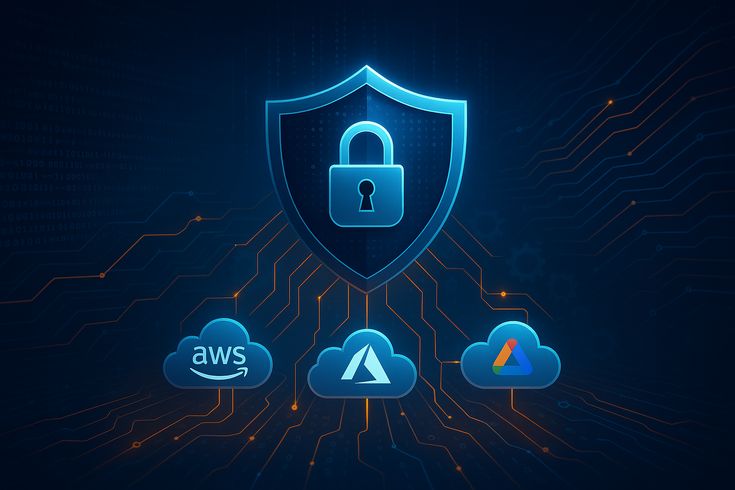
Cloud security means the tools, rules, and habits used to guard data and apps that live on cloud platforms, rather than on your own in-house servers. This covers firms like AWS, Microsoft Azure, and Google Cloud.

This may contain: a blue background with an image of a cloud in the middle and icons above it

Think of the cloud as renting space in a large, shared building rather than owning your own house. The building owner guards the main gates and the shared halls. But you still must lock your own unit’s door and watch who holds a key.

This split in duty is often called the shared responsibility model. The cloud firm guards some parts, while your own firm must guard other parts. Many breaches happen simply because firms do not know which parts fall on their own shoulders.


Why Cloud Security Matters for Nigerian Firms

Nigeria’s cloud use keeps growing fast each year. Banks, fintechs, and shops all now lean on cloud tools to cut costs and grow faster than older, in-house only setups would allow.

However, this fast growth often outpaces firms’ real grasp of cloud risk. Many staff assume the cloud firm handles all safety on its own, which is sadly not true. As a result, real gaps can hide in plain sight for months.

Furthermore, a cloud breach can hit a small Nigerian firm just as hard as a large one, since stolen client data or lost funds bring real harm no matter the size of the firm involved.


Common Cloud Security Risks

Here are the risks that Lagos Data School sees most often among Nigerian firms using cloud tools.

Weak Access Controls

Many cloud breaches trace back to weak or shared logins. If one staff member’s cloud password leaks, a hacker may gain wide access to firm data with ease.

Misconfigured Storage

Cloud storage tools often ship with settings that, if left unchanged, can leave files open to the public web. Many real breaches have come from a single, simple setting left wrong by mistake.

Lack of Encryption

Data that sits in the cloud without encryption can be read by anyone who finds a way in. Strong encryption acts like a lock that keeps stolen data useless to a hacker, even if they do get in.

Shadow IT

This term means staff using cloud tools that IT never knew about or approved. Each unknown tool becomes a blind spot that your firm can not guard, since you do not even know it exists.

Insider Threats

Not all risk comes from outside. A staff member with too much access, whether by mistake or by intent, can cause real harm to cloud-stored data.

Vendor Lock-In Risk

While not a direct safety risk, deep reliance on one cloud firm can create its own kind of risk. If that firm faces an outage or major issue, your whole firm may grind to a halt with little choice in the matter.


Best Practices for Cloud Security

The good news is that clear, useful steps exist to guard your firm’s cloud setup. Here is what Lagos Data School teaches as a strong base plan.

  • Use multi-factor login for all cloud accounts, with no exceptions
  • Review your cloud storage settings often, to catch open files early
  • Turn on encryption for data both at rest and while it moves
  • Keep a clear list of every cloud tool your staff actually use
  • Apply least-privilege rules, so staff only reach what their job needs
  • Back up cloud data in a separate place too, not just within one cloud firm
  • Train staff to spot phishing aimed at stealing cloud logins


Understanding the Shared Responsibility Model

Most cloud breaches do not happen because the cloud firm failed. They happen because the client firm did not guard its own side of the deal well enough.


Task Who Handles It
Physical safety of data centers Cloud provider
Network hardware and base systems Cloud provider
Your own data and files Your firm
User access and login rules Your firm
App settings and configuration Your firm


As the table shows, a great deal still falls on your own firm’s shoulders. So never assume that paying for a cloud service means all safety work is fully done for you.


Cloud Security and Nigerian Data Rules

The Nigeria Data Protection Regulation, known as the NDPR, applies fully to data stored in the cloud, just as it does to data kept in-house. Many firms wrongly believe cloud storage sits outside this rule’s reach.

So if your firm holds Nigerian client data on any cloud platform, you must still meet NDPR rules around how that data is guarded, used, and stored. Failing to do so can bring real fines, even if the breach traces back to a cloud setting, not a direct hack.


Building a Cloud Security Culture

Beyond tools, real cloud safety depends on the habits your whole team shares each day. Make cloud safety part of normal team talk, not just a topic raised once a year during a big review.

Also, give clear, named owners to each cloud account and tool your firm uses. An account with no clear owner often gets left unwatched, which is exactly when small issues grow into large ones.

Lagos Data School works to build this exact mindset in every student, since strong cloud tools matter far less without a team that uses them with real care and steady attention.


Recommended External Resource

For an official guide on cloud security, visit the Cloud Security Alliance’s resource page: https://cloudsecurityalliance.org/research/guidance


Cloud Security and Remote Teams

Many Nigerian firms now run partly or fully remote teams, with staff working from homes across Lagos, Abuja, and beyond. This shift adds a new layer of risk to cloud security that firms must plan for clearly.

When staff log into cloud tools from personal devices or home Wi-Fi, your firm loses some of the control it would have over a fixed office network. So extra care matters even more for remote staff.

This means strong device rules become just as vital as strong cloud rules. A staff laptop with old, unfixed software can become the weak link that lets a hacker reach your cloud data, even if the cloud platform itself stays fully safe.

Lagos Data School trains students to think about cloud safety and remote work together, since the two topics have grown deeply linked in nearly every modern Nigerian firm we work with.


What to Do If You Suspect a Cloud Breach

Even with strong steps in place, no setup stays fully safe forever. So your firm also needs a clear plan for what to do if you think a cloud breach has taken place.

First, change passwords for any account you believe may be at risk, and turn on multi-factor login if it was not already active. Next, check your cloud activity logs for any sign of when the issue began and what was touched.

Then, tell any affected clients in clear, honest terms if their data may have been touched, since Nigerian rules around data require this kind of open disclosure in many cases. Finally, review your full setup afterward to find and close the gap that let the issue happen in the first place.

Lagos Data School teaches this exact response plan in our cyber course, so graduates know what to do under real pressure, not just in calm, easy conditions.


Cloud Security Tools Worth Knowing

Beyond habits and rules, a few real tools can help Nigerian firms guard their cloud setup more closely. Lagos Data School introduces students to several of these during our hands-on labs.

  • Cloud Access Security Brokers, or CASBs — watch and control traffic between your firm and cloud tools
  • Cloud Security Posture Management tools — scan your cloud setup for risky settings
  • Identity and Access Management dashboards — give a clear view of who can reach what
  • Encryption key management tools — help you control who holds the keys to your locked data

You do not need every tool on this list from day one. Start small, with the basics covered in this guide, then add tools like these as your firm grows and your cloud setup grows more complex alongside it.

Lagos Data School covers each of these tools in deeper detail within our advanced cloud security module, since picking and configuring the right tool matters just as much as knowing it exists in the first place.


Cloud Security Self-Check for Nigerian Firms

Before you close this guide, run through this short self-check to see where your firm truly stands on cloud safety today.

  • Do all staff use multi-factor login for cloud accounts?
  • Have you reviewed your cloud storage settings within the past month?
  • Do you know every cloud tool your staff currently use?
  • Is your most sensitive data encrypted, both at rest and in motion?
  • Do you have a backup of your cloud data stored elsewhere too?

If you answered no to two or more of these, cloud safety should sit high on your firm’s task list this quarter. Lagos Data School built this self-check from real gaps we see often among Nigerian firms moving to the cloud.

Revisit this same checklist every few months, since cloud setups can drift over time even after a strong start. A quick, repeat check costs little but can catch a real gap long before it grows into a real problem.


About Lagos Data School

Lagos Data School is Nigeria’s top school for cybersecurity, data science, cloud, and analytics. Every idea in this guide is part of our hands-on course.

Our teachers are real security pros, not just classroom staff. So you learn from people who guard live networks every day.

We run classes on weekdays, weekends, and online. So no matter your time, we have a slot for you. Beyond skills, we also give you a real certificate and links to job partners.

Visit Lagos Data School today to view our courses and join the next class.

Guard your cloud. Train with Lagos Data School.

Hi, How Can We Help You?
Welcome To
Lagos Data School

Artificial Intelligence (AI), Machine Learning and Robotics Programmes Are Now Available!!!

Enroll Now!

Thank You
100% secure website.